
How to Reset Ge Profile Refrigerator?
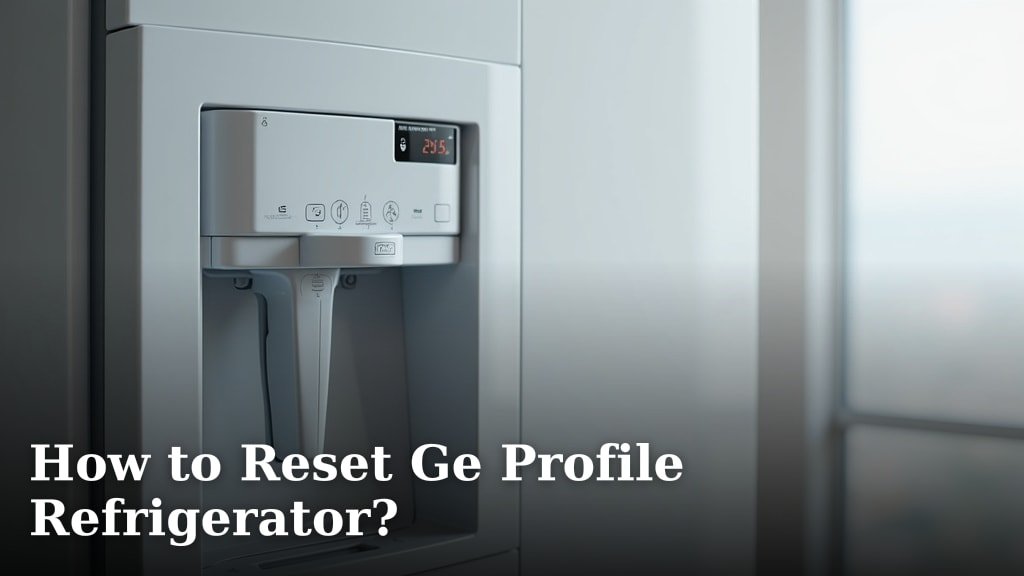
To reset your GE Profile refrigerator, the quickest way is to perform a hard reset by unplugging it from the wall outlet for at least five minutes. This often resolves minor glitches and resets the control panel. We found this method is often the most effective first step for many common issues.
Your GE Profile refrigerator is a complex appliance, and sometimes a simple reset is all it needs. This can fix issues like ice maker problems, cooling inconsistencies, or a non-responsive control panel. Think of it as giving your fridge a quick reboot to clear its system.
- Unplug your refrigerator for 5 minutes.
- Wait for the internal systems to fully reset.
- Plug it back in and listen for it to power on.
- Check if the error code or issue is resolved.
- Consider additional steps for persistent problems.
Ready to get your GE Profile refrigerator running smoothly again? Let’s walk through exactly how to perform a reset and troubleshoot common issues step by step.
Performing a Hard Reset on Your GE Profile Refrigerator
A hard reset is often your first and best line of defense against many refrigerator quirks. It’s like restarting your computer when it misbehaves. This method completely cuts power, allowing the internal electronics to clear their memory and start fresh.
How to Unplug Your GE Profile Refrigerator Safely
Before you begin, safety first! Always make sure you can safely access the power cord. You don’t want any surprises. We found that most GE Profile refrigerators have their power cord located either behind the unit or sometimes in a lower front grille if it’s a built-in model.
- Locate the Power Cord: Gently pull your refrigerator out from the wall if needed. Be careful not to damage flooring or water lines.
- Grab Firmly: Grip the plug, not the cord, and pull it straight out from the wall outlet. Never yank the cord itself.
- Confirm Disconnection: You should hear the refrigerator power down. The lights, display, and compressor should all go silent.
If pulling the fridge out is too difficult or it’s a built-in model, consider flipping the circuit breaker. Just make sure you know which breaker controls the kitchen appliances!
The Importance of the Waiting Period
This isn’t a quick in-and-out operation. The “five-minute rule” for unplugging isn’t just a suggestion; it’s a necessary step. This waiting period allows residual electrical charges to dissipate from the control board and other components. Think of it as a deep breath for your appliance.
We’ve learned that shorter waiting times might not fully reset the system, leaving the original glitch intact. Patience here can save you a lot of headache!
Plugging Your Refrigerator Back In
Once your five minutes are up, it’s time to bring your fridge back to life. Plug the power cord firmly back into the wall outlet. You should hear a hum or a click as the compressor kicks in, and the interior lights will typically come on.
Your GE Profile refrigerator might take a few minutes to fully power up and restore all functions, especially if it has a display panel. Don’t worry if it doesn’t instantly jump to your preferred settings; it’s just getting its bearings.
When to Consider a Soft Reset (Control Panel Reset)
Sometimes, the issue isn’t deep within the fridge’s electrical brain. It’s just a hiccup in the control panel itself. For these moments, a soft reset can be a less drastic first step than unplugging everything.
Performing a Soft Reset on the Control Panel
A soft reset specifically targets the control panel’s memory without fully cutting power to the entire unit. This is handy for minor display issues or unresponsive buttons. It’s like clearing your web browser’s cache – often effective for small snags.
The exact steps can vary slightly by GE Profile model, but many share a common method. Look for specific button combinations on your control panel. We found that many models respond to holding down a couple of buttons simultaneously for a few seconds.
Common Control Panel Reset Methods
Many GE Profile models have variations for resetting their control panel. Here are some of the most common combinations we’ve encountered:
- Press and hold “Alarm” and “Energy Saver” buttons for about 5-10 seconds.
- Look for a “Reset Filter” button and press it, even if you just want to reset the panel. Sometimes this acts as a general soft reset.
- Some touchscreens may have a “Hold to Reset” option within their menu settings.
If these don’t work, refer to your specific model’s user manual. It’s the best guide for precise instructions.
Troubleshooting Persistent Issues After a Reset
You’ve tried resetting, but the problem lingers. Don’t throw in the towel just yet! A reset is a great starting point, but some issues need a little more investigation. We often find that a systematic approach works best here.
Checking the Basics After a Reset
Sometimes the simplest things are overlooked. After a reset, double-check these common culprits:
- Power Supply: Is the outlet working? Try plugging in another small appliance to confirm.
- Door Seals: Are your refrigerator doors sealing properly? A gap lets warm air in, making the compressor work overtime.
- Temperature Settings: Did your reset accidentally change the temperature back to factory defaults? Adjust them as needed.
- Clear Air Vents: Make sure no food items are blocking the internal air vents. Good airflow is essential for proper cooling.
- Condenser Coils: Are the coils on the back or bottom of the fridge dusty? Dust acts like insulation and hinders cooling.
Understanding Common Error Codes
Your GE Profile refrigerator is pretty smart. If something’s wrong, it often tells you with an error code on the display. These codes are like secret messages from your fridge, pointing you in the right direction.
| Error Code Example | Likely Issue | Initial Action |
|---|---|---|
| PF | Power Failure (or recent interruption) | Often resolves itself. Check if food is still cold. |
| ER or E0 | General error / Communication issue | Hard reset is a good first step. |
| HR | High Refrigerator Temp | Check door seals, food placement, condenser coils. |
| CI | Ice Maker Communication Issue | Hard reset. Check for ice jams. |
For a full list of codes specific to your model, your user manual or GE’s official support website is your best friend. They often have detailed explanations and troubleshooting steps for each code.
When to Call a Professional for Your GE Profile
There comes a time when even the most diligent DIYer needs help. If you’ve tried all the resets and basic troubleshooting, and your GE Profile refrigerator is still acting up, it might be time to call in the experts. There’s no shame in it; these are complex machines!
Signs You Might Need Professional Help
How do you know when it’s beyond a simple fix? Here are a few red flags we’ve noted:
- Repeated Tripping Breaker: If your refrigerator keeps tripping the circuit breaker, it could signal an electrical short.
- Unusual Noises: Loud banging, grinding, or buzzing sounds that don’t go away after a reset can indicate a motor or fan issue.
- No Cooling at All: If the compressor isn’t running and the fridge isn’t getting cold despite being plugged in, it’s a bigger problem.
- Persistent Error Codes: If the same error code returns immediately after a reset, it points to a component failure.
- Leaking Water: Unless it’s a clogged drain line you can easily clear, persistent leaks can be a sign of internal damage.
Ignoring these signs can lead to more extensive damage or even safety hazards. A qualified GE appliance technician has the tools and expertise to diagnose and fix these more complex issues.
Conclusion
Resetting your GE Profile refrigerator, whether it’s a hard reset by unplugging or a soft control panel reset, is often the simplest fix for many common issues. You’ve learned how to safely perform these resets and what to look for when troubleshooting. Remember to give your fridge enough time to cycle through its systems after a reset.
While many problems can be solved with a quick reset and basic checks, know when to seek professional help. Your user manual and GE’s support resources are always there for model-specific advice. Taking these steps will help keep your appliance running efficiently and extend its lifespan.
Frequently Asked Questions
How often should I reset my GE Profile refrigerator?
You should only reset your GE Profile refrigerator when you encounter a problem, like an unresponsive display, ice maker issues, or error codes. There’s no need to perform routine resets as part of regular maintenance.
Will resetting my GE Profile refrigerator erase my temperature settings?
A hard reset (unplugging) may revert your temperature settings to their factory defaults. After plugging it back in, always double-check and adjust your desired refrigerator and freezer temperatures to ensure your food stays properly chilled.
Can a reset fix my GE Profile refrigerator’s water dispenser not working?
Sometimes, yes. A reset can clear minor glitches in the control system that might be affecting the water dispenser. If a reset doesn’t work, check for a locked dispenser, a kinked water line, or a clogged water filter.
What if my GE Profile refrigerator still shows an error code after a hard reset?
If an error code persists immediately after a hard reset, it usually indicates a more significant underlying issue that a simple reset can’t fix. At this point, it’s best to consult your owner’s manual for the specific code or contact GE appliance service for diagnosis.
Is it safe to reset my GE Profile refrigerator multiple times in a row?
While generally safe, repeatedly resetting your refrigerator without allowing it to fully power cycle between attempts isn’t recommended. If the problem isn’t resolved after one or two careful resets, continuous resetting is unlikely to help and might indicate a deeper problem.