How to Update Software on Whirlpool Refrigerator?
On this page (3 sections)
To update software on your Whirlpool refrigerator, you generally need to connect it to your home Wi-Fi network and then use the Whirlpool app. Most updates download automatically once connected, but some models might require you to confirm the update through the app or on the refrigerator’s display. It’s a fairly straightforward process designed to keep your appliance running smoothly.
Keeping your Whirlpool refrigerator’s software current helps ensure optimal performance and efficiency. These updates can fix bugs, improve features, and even enhance security. You wouldn’t ignore updates for your phone, right? Think of your smart fridge the same way – a little care goes a long way to keep it working its best for years.
- Connect your fridge to Wi-Fi.
- Use the Whirlpool app for most updates.
- Some updates are automatic; others need confirmation.
- Updates improve performance, fix bugs, and enhance features.
- Think of it like updating your smartphone.
Ready to give your smart appliance a little refresh? Let’s walk through exactly how to update your Whirlpool refrigerator’s software, step by step, ensuring you get the most out of your kitchen companion.
Getting Your Whirlpool Refrigerator Software Up to Date
Updating your Whirlpool refrigerator’s software is simpler than you might think. It’s mostly about ensuring a good connection and letting the fridge do its thing. Let’s break down what you need to know and do to get those updates installed.
Before You Begin: Essential Checks
Before you dive into the update process, a few quick checks can save you headaches. Think of it as preparing your workspace. A little preparation goes a long way to ensure a smooth update experience.
Confirm Your Refrigerator’s “Smart” Status
First, does your Whirlpool refrigerator actually have software that can be updated? Not all models are smart appliances. Look for features like a touchscreen display, Wi-Fi connectivity, or the “Works with Alexa” or “Google Assistant” badges. If your fridge is an older, basic model, it likely won’t have updateable software (Whirlpool Support).
Check your user manual or the Whirlpool website for your specific model number. This will confirm if your appliance is capable of receiving software updates.
Verify Your Wi-Fi Network
Your refrigerator needs a stable internet connection for updates. Is your home Wi-Fi working correctly? Make sure your router is on and broadcasting a strong signal. The fridge typically connects to 2.4 GHz networks, so ensure that band is active on your router.
Poor Wi-Fi signal can interrupt downloads. Consider moving your router closer if possible, or using a Wi-Fi extender if your fridge is far from the main signal source. Think of it like streaming a movie – you want a strong, uninterrupted connection.
Download the Whirlpool App
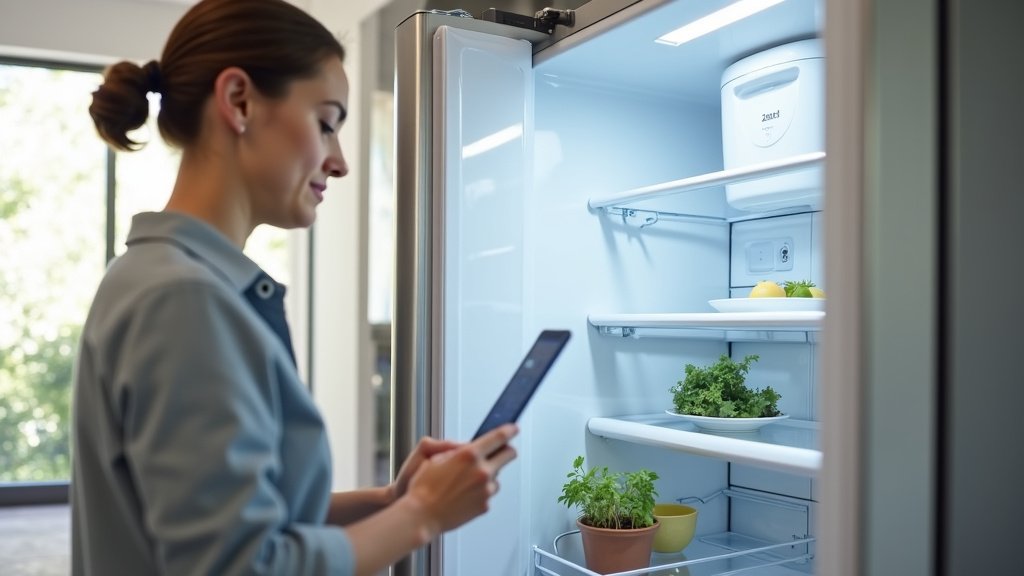
The Whirlpool app is your control center for smart appliances. If you haven’t already, download it to your smartphone or tablet. It’s available for both iOS and Android devices. This app is crucial for connecting your fridge and often for managing updates.
Make sure you have an account set up and your refrigerator is already paired with the app. If not, follow the in-app instructions to add your appliance. This usually involves pressing a button on the fridge and confirming in the app.
The Step-by-Step Update Process
Once your checks are complete, you’re ready to initiate the update. The process is generally automatic, but sometimes you need to nudge it along. Here’s how to guide your fridge through its software refresh.
Connecting Your Refrigerator to Wi-Fi
This is the most critical step. If your fridge isn’t connected, it can’t download anything. Most Whirlpool smart refrigerators have a guided setup. You’ll typically find an icon on the fridge display (if it has one) or instructions in your manual.
Open the Whirlpool app, go to “Add Appliance,” and follow the prompts. You’ll enter your Wi-Fi network name and password. Ensure you’re using the correct credentials. Many users find this the only tricky part of the whole setup (Consumer Reports). Once connected, the app will confirm.
Automatic vs. Manual Updates
For many Whirlpool models, software updates download and install automatically once connected to Wi-Fi. This usually happens overnight or during periods of low use. It’s designed to be seamless and not interrupt your daily routine. You might not even notice it happened until you see a new feature or improved performance.
However, some updates or models might require your confirmation. You might receive a notification on the Whirlpool app or see a prompt on your refrigerator’s display asking you to approve the installation. Always read these prompts carefully before proceeding.
Confirming and Installing the Update
If prompted, confirm the update through the Whirlpool app or on your refrigerator’s display. The installation process usually takes several minutes. During this time, your refrigerator might restart, and its display might go blank temporarily. This is normal behavior.
It’s important not to unplug your refrigerator or interrupt its power supply during an update. Doing so could corrupt the software and cause problems. Think of it like updating your computer – you wouldn’t pull the plug in the middle, right?
What to Do If Updates Aren’t Working
Sometimes, things don’t go as planned. If your refrigerator isn’t updating or you’re encountering issues, don’t worry. There are several troubleshooting steps you can take.
Troubleshooting Common Update Issues
Here’s a quick checklist for common problems:
- Check your Wi-Fi connection: Is it strong and stable? Can other devices connect?
- Restart your router: Unplug it for 30 seconds, then plug it back in. This often resolves minor network glitches.
- Restart your refrigerator: Unplug it from the wall outlet for a few minutes, then plug it back in. This can clear temporary software errors.
- Update the Whirlpool app: Make sure your app is the latest version from your phone’s app store.
- Review your manual: Your specific model might have unique troubleshooting steps.
- Ensure sufficient power: A low voltage situation could potentially interfere, though this is rare.
If you’ve tried these steps and still have issues, it might be time to reach out for more specific help.
When to Contact Whirlpool Support
If you’ve exhausted your troubleshooting options and your refrigerator still won’t update or is behaving strangely, it’s best to contact Whirlpool customer support. They have specialized tools and knowledge to diagnose more complex problems.
Before calling, have your refrigerator’s model and serial number ready. These are usually found inside the fridge compartment or on a label at the bottom. The more information you can provide, the faster they can assist you.
Benefits of Keeping Your Software Current
Why bother with updates at all? There are several compelling reasons to keep your refrigerator’s software in tip-top shape. It’s not just about fixing problems; it’s about making your appliance better.
| Benefit Category | How Updates Help | What You Gain |
|---|---|---|
| Performance | Optimizes cooling cycles and energy use. | More consistent food preservation, potentially lower energy bills. |
| Features | Introduces new functionalities or improves existing ones. | New smart recipes, better voice control integration, enhanced app connectivity. |
| Security | Patches vulnerabilities in the appliance’s software. | Protects your network from potential external threats. |
| Bug Fixes | Resolves software glitches or errors. | Prevents unexpected shutdowns, display issues, or sensor malfunctions. |
| Efficiency | Refines compressor and defrost cycles. | Reduced wear and tear, extending the life of your refrigerator. |
As you can see from the table, updates are more than just maintenance. They enhance your daily experience with your smart appliance. It’s like getting free upgrades for something you already own!
Maintaining Your Smart Refrigerator Beyond Software
While software updates are important, remember that your smart refrigerator still needs physical care. Regular cleaning and proper usage will keep it running smoothly alongside its updated brain.
Don’t forget the basics: clean coils, replace water filters on time, and ensure proper airflow around the unit. A well-maintained physical appliance paired with updated software gives you the best of both worlds. You’re ensuring its longevity and getting the most out of your investment.
By following these steps, you can confidently keep your Whirlpool refrigerator’s software up to date. It’s a small effort that brings significant rewards in performance, features, and peace of mind.
Conclusion
Keeping your Whirlpool refrigerator’s software updated is a simple yet powerful way to maintain its performance and longevity. By ensuring a stable Wi-Fi connection and using the Whirlpool app, you help your appliance run efficiently, gain new features, and stay secure. Think of these updates as routine care that keeps your kitchen smart hub at its best. You’ve now got the steps to confidently manage these updates.
Take a few minutes today to check your fridge’s status and ensure it’s connected. Your smart appliance will thank you with years of reliable service.
Frequently Asked Questions
How often do Whirlpool refrigerators get software updates?
Update frequency can vary, but Whirlpool typically releases software updates as needed to introduce new features, improve existing ones, or address bugs. You might receive updates a few times a year, or less frequently depending on your specific model. Your refrigerator will usually notify you through the app or its display when an update is available.
Can a software update fix my refrigerator’s cooling problem?
Sometimes, yes. If a cooling problem is caused by a software glitch that’s mismanaging the compressor or defrost cycles, an update could potentially resolve it. However, if the issue is mechanical (like a faulty fan or refrigerant leak), a software update won’t help. It’s always best to diagnose the root cause.
What happens if I don’t update my Whirlpool refrigerator’s software?
If you don’t update, your refrigerator will continue to function, but you might miss out on performance improvements, new smart features, and important security patches. Over time, it could lead to minor glitches or less efficient operation compared to an updated unit. It’s like using an old version of your phone’s operating system.
Will updating my Whirlpool refrigerator erase my settings or preferences?
Generally, no. Software updates are designed to improve the appliance’s core operating system without resetting your personal settings. Your temperature preferences, Wi-Fi network details, and any personalized app settings should remain intact after an update. It’s a system upgrade, not a factory reset.
Is it safe to update my Whirlpool refrigerator if my Wi-Fi is unstable?
It’s best to wait for a stable Wi-Fi connection before initiating an update. An unstable connection can interrupt the download or installation process, which could potentially corrupt the software of your refrigerator. Think of it like downloading a large file; a solid connection prevents errors. If your Wi-Fi is spotty, try restarting your router first.