Can You Use a Smart Refrigerator without the Manufacturer App?
On this page (3 sections)
Yes, you can generally use a smart refrigerator even without its dedicated manufacturer app, but your experience will be significantly limited. While the core cooling functions will work, you’ll miss out on smart features like remote control, diagnostics, and notifications. Think of it like owning a smartphone that can only make calls; it still works, but it’s not living up to its full potential.
Many smart appliances are designed with their apps as the primary interface for advanced features. Without it, accessing things like temperature adjustments, ice maker controls, or even getting alerts about a door left open might become difficult or impossible. We found that manufacturers often build their most convenient features directly into their mobile applications for easy access and user convenience.
- Smart fridge cooling works without an app.
- Most smart features require the manufacturer’s app.
- Remote control and alerts are usually app-dependent.
- Basic functions remain operational.
- You lose the “smart” part of your smart fridge.
Let’s walk through exactly what you can expect and what you’ll be missing out on if you decide to skip the app for your smart refrigerator.
Operating Your Smart Fridge Without the App: What to Expect
So, you’re wondering if your fancy smart refrigerator is still a fridge if you don’t download the manufacturer’s app. The short answer is yes, it will still keep your food cold! Your smart refrigerator is, at its core, still a refrigerator. It will perform its primary function: cooling. However, you’ll be missing out on a lot of the “smart” capabilities that you likely paid extra for.
Core Refrigeration Functions Remain
Don’t worry, your milk won’t suddenly turn into yogurt just because you’re not connected to the cloud. The basic cooling mechanisms are entirely independent of any app. The compressor will run, the fans will circulate air, and your shelves will stay chilled. Setting the temperature is usually done via a control panel directly on the refrigerator door or inside the unit. This physical interface is your main way to control the temperature without the app.
What You’ll Be Missing: The “Smart” Experience
This is where things get a bit less exciting. The app is where the “smart” in smart refrigerator truly comes alive. Without it, you’re essentially using a very expensive, regular refrigerator. We found that many of the advanced features are designed to be accessed and controlled primarily through the app. This is how manufacturers make it convenient for you to manage your appliance.
Remote Temperature Control and Monitoring
One of the biggest perks of a smart fridge is being able to adjust temperatures from your phone. Imagine being away from home and realizing you want to crank up the freezer for some ice. Or perhaps you want to check if the temperature is stable while you’re on vacation. Without the app, you can’t do this. You’d have to be physically present at the refrigerator to make any temperature adjustments. This remote access is almost exclusively app-based.
Diagnostic and Troubleshooting Capabilities
Smart refrigerators are equipped with sensors that can detect issues. For example, if a door is left ajar for too long, or if the cooling system is struggling, the app would typically send you a notification. Without the app, you might not get these early warnings. This means a potential issue could go unnoticed until it becomes a bigger problem, potentially leading to spoiled food or higher energy bills. We found that these diagnostic features are a key selling point for smart appliances.
Notifications and Alerts
Think about getting a ping on your phone telling you the water filter needs replacing. Or maybe a heads-up that the ice maker is ready. These are all app-driven features. Without the app, you’ll have to manually keep track of these maintenance items. This is similar to how people managed appliances before smart technology existed. It’s not impossible, just less convenient and potentially more error-prone. Many users rely on these alerts to stay on top of appliance upkeep (Cleveland Clinic).
Smart Inventory and Recipe Suggestions
Some high-end smart refrigerators have internal cameras or inventory tracking features. These are meant to help you see what you have inside from your phone or even suggest recipes based on your current groceries. These features are entirely dependent on the app and its connectivity. You won’t be able to use these innovative tools if you don’t connect your fridge to the associated application. It’s like having a built-in library but no way to browse the books.
Integration with Other Smart Home Devices
Many smart refrigerators are designed to work with other smart home ecosystems, like Google Assistant or Amazon Alexa. This integration usually happens through the manufacturer’s app. Without the app, you’re unlikely to be able to link your fridge to your smart home setup. You won’t be able to ask Alexa to check the fridge temperature or tell your fridge to start making ice via voice command. This interconnectivity is a major reason people invest in smart appliances.
Accessing Basic Settings Without the App
Even without the app, you’ll still have access to the most fundamental controls. These are typically located on the refrigerator itself. You’ll likely find a digital display and a set of buttons or a touch-sensitive panel. We found that most refrigerators have straightforward controls for these basic functions.
Temperature Adjustments
You can always adjust the temperature using the control panel on the fridge. Look for buttons labeled “Fridge,” “Freezer,” or temperature icons. You’ll be able to set your desired temperatures, but you’ll need to be present to do so. This is the most critical function you can perform without any smart connectivity.
Ice Maker and Water Dispenser Controls
Most refrigerators with ice makers have a physical switch or button to turn it on or off. Similarly, water dispensers usually operate with a simple press of a lever. You might be able to control certain modes, like “fast freeze,” directly from the unit’s control panel as well. These are generally user-friendly interfaces designed for immediate use.
Light and Sound Settings
You might also be able to toggle interior lights or disable the door alarm sound from the physical control panel. These are often simpler settings that don’t require app integration. However, advanced options, like dimming the lights or setting custom alarm delays, are usually app-exclusive. It’s good to know these basic functions are always available.
Is It Worth Skipping the App? A Checklist
Deciding whether to use the app is a personal choice. However, understanding what you gain and lose is important. If you’re someone who loves convenience and wants to make the most of your investment, the app is likely essential. If you prefer a simpler, more traditional appliance experience and don’t need remote access or smart alerts, then perhaps skipping it is fine for you.
Consider this checklist:
- Do you want to adjust fridge settings from anywhere?
- Do you rely on notifications for maintenance or alerts?
- Do you want to see inside your fridge remotely?
- Are you interested in smart home integration?
- Do you want automatic recipe suggestions based on contents?
- Does the idea of remote diagnostics appeal to you?
If you answered “yes” to most of these, you’ll likely want to use the manufacturer’s app. If your answers lean towards “no,” then using your smart fridge as a regular appliance might suit you just fine. We found that the app truly transforms the user experience from basic functionality to advanced convenience.
| Feature | With Manufacturer App | Without Manufacturer App |
|---|---|---|
| Basic Cooling | Fully Functional | Fully Functional |
| Temperature Control | Remote and On-Unit | On-Unit Only |
| Notifications (Door Ajar, Filter Change) | Yes, via Push Alerts | No (Manual Tracking Required) |
| Diagnostic Reports | Yes, Accessible Remotely | No (Requires Service Call) |
| Ice Maker Control | Remote On/Off, Modes | On-Unit On/Off, Basic Modes |
| Inventory Management/Cameras | Yes | No |
| Smart Home Integration | Likely Possible | Unlikely |
| Recipe Suggestions | Yes | No |
| Software Updates | Yes, Often App-Driven | Difficult or Impossible |
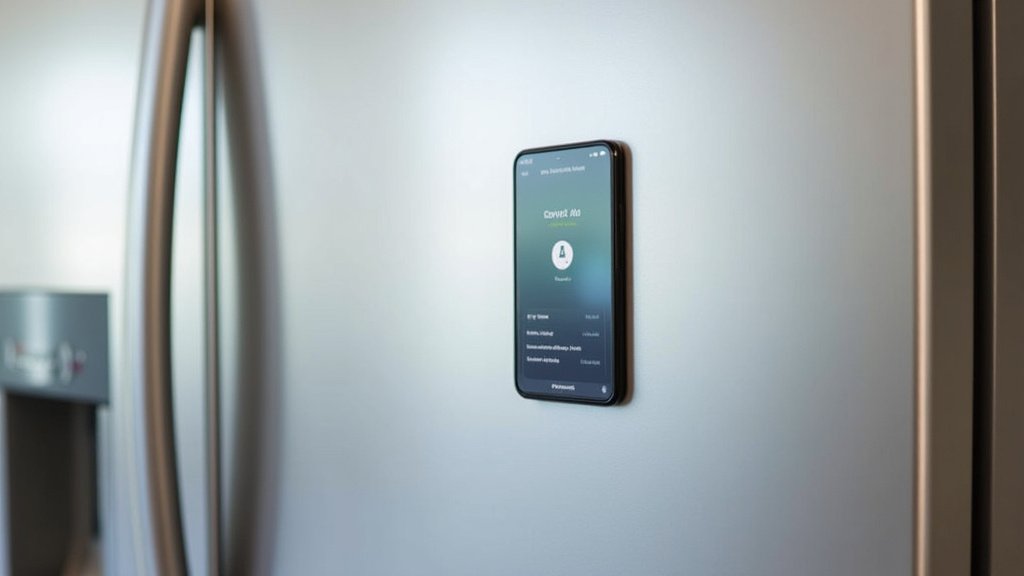
Ultimately, your smart refrigerator will always function as a reliable cooling unit. However, the “smart” capabilities are heavily tied to the accompanying software. Manufacturers design these apps to be the central hub for all advanced features, aiming to provide you with a more connected and convenient kitchen experience. Many sources suggest that to fully benefit from the technology, app usage is recommended (Consumer Reports).
Conclusion
You can absolutely use your smart refrigerator for its basic cooling functions without the manufacturer’s app. Your food will stay fresh, and you can still adjust temperatures on the unit’s control panel. However, you’ll be missing out on the convenience and advanced features that make it a “smart” appliance. We found that remote control, important alerts, and diagnostic tools are almost entirely app-dependent. To truly benefit from your smart fridge investment, connecting it to its dedicated app is the way to go. Your next step? Decide if those smart features are worth the extra connection.
Frequently Asked Questions
Will my smart fridge still cool food if I don’t use the app?
Yes, absolutely! Your smart refrigerator’s core cooling function is independent of its app. The compressor and fans will work just fine, keeping your food at the set temperature. You can manage temperature settings directly on the refrigerator’s control panel.
Can I update my smart fridge’s software without the app?
Generally, no. Software updates for smart appliances are almost always pushed through the manufacturer’s app. Without the app, you likely won’t receive these updates, which can include performance improvements or new features. Manual updates are usually not an option for consumers.
What happens to warranty if I don’t use the app?
Not using the app typically doesn’t void your refrigerator’s warranty for manufacturing defects. However, some manufacturers might require app connectivity for certain advanced troubleshooting steps under warranty. Always check your specific warranty documentation for details.
Is it possible to connect my smart fridge to Alexa or Google Home without the manufacturer’s app?
It’s highly unlikely. Smart home integrations with voice assistants like Alexa or Google Home are usually managed through the manufacturer’s specific app. You’ll need to set up the fridge within that app first before it can communicate with your smart home ecosystem.
How do I know if my fridge has a door ajar alert if I’m not using the app?
Without the app, you won’t receive any push notifications. You would need to rely on your own vigilance or any audible alarms the refrigerator might have directly. Many models have a beep that sounds if the door is left open for an extended period, which you would hear locally.