Integrating a Smart Fridge into the All-Black Kitchen
On this page (10 sections)
- Why All-Black Kitchens Need Smart Appliances
- Top Smart Fridge Features for Black Kitchens
- Choosing the Right Black Finish
- Size and Layout Considerations
- Connectivity and Smart Home Integration
- Energy Efficiency in Black Kitchens
- Installation Tips for Black Kitchens
- Maintenance for Black Smart Fridges
- Budget Planning
- Conclusion
Integrating a smart fridge into an all-black kitchen requires careful planning to match your appliance finish with existing black cabinetry and countertops.
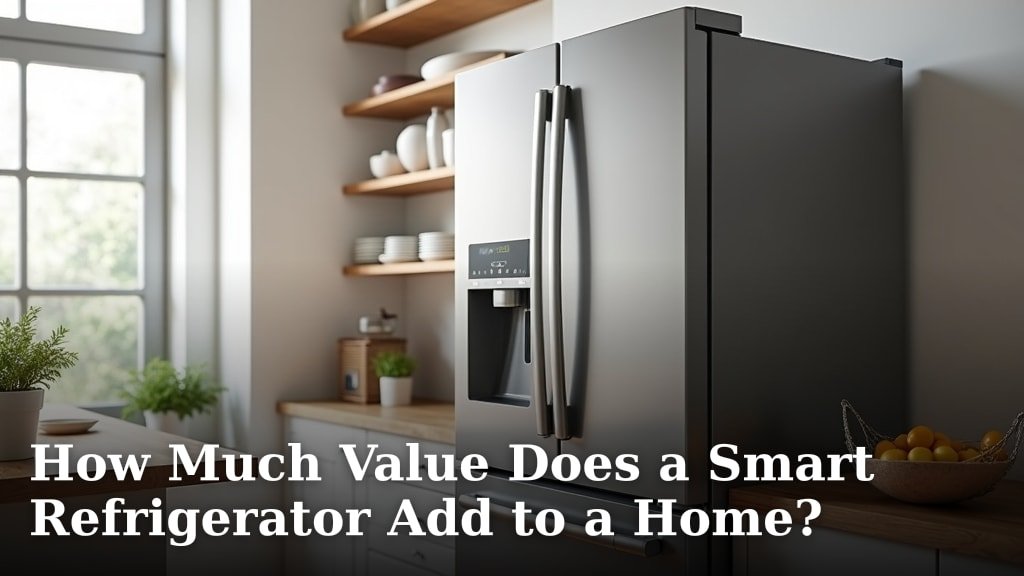
Black stainless steel smart refrigerators blend seamlessly with dark kitchen designs while offering advanced features like app connectivity and energy monitoring.
Why All-Black Kitchens Need Smart Appliances
Your all-black kitchen already makes a bold statement. Adding smart technology takes it to the next level. Black kitchens look sleek and modern, but they can feel cold without the right appliances.
Smart fridges bring warmth through interactive displays and connected features. They also solve practical problems that traditional refrigerators can’t handle.
The Perfect Match for Dark Design
Black stainless steel finishes complement your dark cabinetry better than regular stainless steel. The darker tone creates visual flow across your entire kitchen space.
Regular stainless steel can look out of place against black cabinets. It creates too much contrast and breaks up your design theme.
Top Smart Fridge Features for Black Kitchens
Smart refrigerators offer features that work especially well in dark kitchen environments. Here are the most useful ones for your space.
Interior LED Lighting Systems
Black kitchens can feel darker than lighter designs. Smart fridges solve this with advanced LED systems that brighten your food storage areas.
Many models offer adjustable lighting that you can control from your phone. This helps when you’re looking for items in low kitchen lighting.
Motion-Activated Lights
Motion sensors turn on interior lights before you even open the door. This feature works great in black kitchens where ambient lighting might be limited.
Color-Changing Options
Some smart fridges let you change interior light colors. You can match your kitchen’s mood lighting or create accent colors that pop against black surfaces.
Touch Screen Integration
Large touch screens on smart fridges serve as command centers for your black kitchen. They display recipes, calendars, and family notes.
The bright screens create visual interest against dark backgrounds. They also provide practical lighting when you’re cooking in the evening.
Family Hub Features
Samsung’s Family Hub technology turns your fridge into a communication center. You can leave digital notes, share calendars, and stream music.
These features work especially well in black kitchens because the bright display becomes a focal point.
Choosing the Right Black Finish
Not all black finishes are created equal. Your choice affects how well your smart fridge blends with existing kitchen elements.
Black Stainless Steel Options
Black stainless steel comes in different shades and textures. Some lean toward charcoal gray while others appear nearly jet black.
Visit showrooms to see finishes in person. Photos online don’t always show true colors accurately.
Fingerprint Resistance
Black surfaces show fingerprints more than lighter colors. Look for finishes with fingerprint resistance built in.
LG’s PrintProof and Samsung’s Fingerprint Resistant finishes help keep your smart fridge looking clean.
Matte vs Glossy Surfaces
Matte black finishes hide fingerprints better than glossy ones. They also reflect less light, which maintains your kitchen’s sophisticated look.
Glossy finishes can make small kitchens feel larger by reflecting light. Consider your space size when choosing.
Size and Layout Considerations
Smart fridges often run larger than basic models. You need to plan for both physical size and visual weight in your black kitchen.
Counter-Depth Models
Counter-depth smart fridges align with your cabinetry for a built-in look. This creates clean lines that work beautifully in black kitchens.
Standard depth models can stick out and break up your design flow. The extra depth becomes more noticeable against dark cabinets.
Width Requirements
Most smart fridges start at 36 inches wide. Measure your space carefully and account for door swing clearance.
French door models need less clearance than side-by-side styles. This matters in galley-style black kitchens.
Ventilation Planning
Smart fridges generate more heat than basic models due to their electronic components. Plan for proper ventilation around your unit.
Black surfaces absorb more heat than lighter colors. This makes proper airflow even more important for your smart fridge’s performance.
Connectivity and Smart Home Integration
Your smart fridge should connect easily with other devices in your black kitchen. Plan your network setup before installation.
WiFi Signal Strength
Check your WiFi signal in the kitchen before buying a smart fridge. Weak signals cause connectivity problems and limit smart features.
Consider a WiFi extender if your signal strength is poor. Your smart fridge needs consistent internet access to work properly.
Smart Home Compatibility
Most smart fridges work with Alexa, Google Assistant, and Apple HomeKit. Check compatibility with your existing smart home setup.
App Control Features
Smartphone apps let you control your smart fridge remotely. You can adjust temperatures, check door status, and receive maintenance alerts.
Some apps offer energy monitoring that helps you track usage costs. This feature becomes valuable as energy prices rise.
Energy Efficiency in Black Kitchens
Black kitchens can run warmer than lighter designs, especially in summer. Your smart fridge needs to work efficiently in these conditions.
Energy Star Ratings
Look for Energy Star certified smart fridges. These models use 20% less energy than standard requirements (Energy Star).
Smart features like precise temperature control help maintain efficiency. Your fridge won’t work harder than necessary to keep food fresh.
Adaptive Cooling Technology
Advanced smart fridges learn your usage patterns and adjust cooling accordingly. This saves energy while maintaining food quality.
Installation Tips for Black Kitchens
Installing a smart fridge in your black kitchen requires attention to detail. Small mistakes become more visible against dark surfaces.
Professional vs DIY Installation
Smart fridges often need electrical work for their advanced features. Professional installation ensures everything connects properly.
DIY installation can void warranties if something goes wrong. The cost of professional service is usually worth the peace of mind.
Leveling and Alignment
Black surfaces make uneven gaps and poor alignment obvious. Take extra time to level your smart fridge properly.
Use shims if needed to create perfect alignment with surrounding cabinets. Small adjustments make a big difference in the final appearance.
Maintenance for Black Smart Fridges
Keeping your smart fridge looking great in a black kitchen requires regular care. Dark surfaces show dust and fingerprints easily.
Daily Cleaning Routine
Wipe down exterior surfaces daily with a microfiber cloth. This prevents buildup that becomes harder to remove later.
Use manufacturer-recommended cleaners to avoid damaging special finishes. Generic cleaners can strip protective coatings.
Screen Care
Clean touch screens with appropriate electronics cleaners. Avoid harsh chemicals that can damage the display.
Budget Planning
Smart fridges cost more than basic models, but they offer features that justify the price difference. Plan your budget carefully.
| Price Range | Features Included | Best For |
|---|---|---|
| $2,000-$3,000 | Basic smart features, app control | First-time smart appliance buyers |
| $3,000-$5,000 | Touch screens, advanced connectivity | Tech-forward households |
| $5,000+ | Premium features, professional styling | Luxury kitchen designs |
Long-term Value
Smart fridges last 10-15 years on average. The technology pays for itself through energy savings and convenience over time.
Research shows that smart appliances can increase home values by 3-5% (National Association of Home Builders).
Conclusion
Integrating a smart fridge into your all-black kitchen creates a stunning focal point that combines style with technology. The key is choosing the right black finish that complements your existing design while providing the smart features you need.
Black stainless steel finishes work best for maintaining visual flow in dark kitchens. Counter-depth models create clean lines, while advanced features like LED lighting and touch screens add both function and visual interest.
Take time to plan your installation, consider your connectivity needs, and budget for professional setup. With proper planning, your smart fridge will become the centerpiece of your sophisticated black kitchen design.
Can I retrofit smart features to my existing black refrigerator?
You cannot add true smart features to non-smart fridges, but you can use external smart plugs to monitor energy usage and receive basic alerts through smartphone apps.
Do black smart fridges show scratches more than stainless steel?
Black finishes can show light scratches more visibly than brushed stainless steel, but many manufacturers now offer scratch-resistant coatings that minimize this issue.
How much extra electricity do smart fridges use compared to regular models?
Smart fridges typically use 5-10% more electricity than basic models due to displays and connectivity features, but energy-efficient cooling systems often offset this difference.
Will my smart fridge work during internet outages?
Yes, smart fridges continue basic refrigeration during internet outages, but you’ll lose app connectivity, remote monitoring, and smart features until service returns.
What’s the best way to clean fingerprints off black smart fridge surfaces?
Use a microfiber cloth with manufacturer-approved cleaner or a mixture of warm water and mild dish soap, always wiping in the direction of the grain for stainless steel finishes.