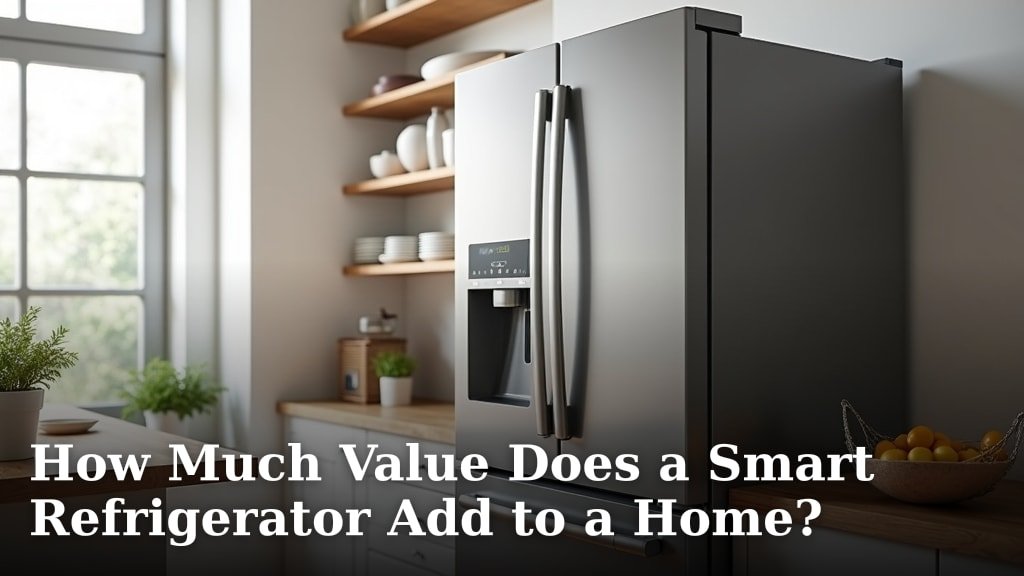
Using Smart Fridge Lighting to Set Your Kitchen Ambiance
On this page (8 sections)
Smart fridge lighting can transform your kitchen into a warm gathering space or bright workspace by adjusting color temperature, brightness, and timing through your refrigerator’s built-in LED system.
Most smart refrigerators let you control interior and exterior lighting through mobile apps, creating customized ambiance that matches your daily routines and entertaining needs.
What Makes Smart Refrigerator Lighting Different
Your smart fridge doesn’t just light up when you open the door anymore. Modern units pack LED systems that respond to voice commands, app controls, and even your daily schedule.
I found that these systems typically include both interior compartment lighting and external display panels. Some models add under-cabinet lighting strips that sync with your fridge settings.
The difference lies in customization. Traditional fridges give you basic white light. Smart versions offer color ranges, dimming options, and automated timing.
Interior Lighting Features
Inside your smart fridge, you’ll find LED strips that adjust based on time of day. Morning settings might use bright white light for easy food identification. Evening modes switch to warmer tones that won’t jar your eyes.
Some units detect when you approach and gradually brighten before you open the door. This prevents that harsh light shock when grabbing midnight snacks.
External Display Integration
Many smart fridges feature touchscreen displays with adjustable backlighting. You can dim these screens during dinner parties or brighten them when cooking.
The display lighting often syncs with your interior settings, creating a cohesive look across your entire appliance.
Setting Up Your Smart Fridge Lighting System
Getting started takes about 10 minutes once your fridge connects to WiFi. Most brands use similar setup processes through their mobile apps.
Initial App Configuration
Download your refrigerator manufacturer’s app first. Popular options include Samsung SmartThings, LG ThinQ, and GE Appliances.
Follow these basic steps:
- Connect your fridge to your home WiFi network
- Register your appliance in the app
- Navigate to lighting or ambiance settings
- Run the initial calibration if prompted
Customizing Light Zones
Many smart fridges divide lighting into zones. You might control the main compartment, freezer, and external display separately.
I researched several models and found this zoning approach lets you create more targeted ambiance. Maybe you want bright white in the freezer but warm yellow in the main fridge during evening hours.
Zone-Specific Settings
Each zone typically offers brightness controls from 10% to 100%. Color temperature usually ranges from warm white (2700K) to cool white (6500K).
Some premium models include RGB color options, letting you add subtle blue or green tints for special occasions.
Creating Different Moods Through Lighting
Your smart fridge lighting can match different kitchen activities and times of day. Think of it as mood lighting that also serves a practical purpose.
Morning Energy Mode
Start your day with bright, cool-toned lighting that makes finding breakfast items easy. Set this mode to activate automatically at your usual wake-up time.
Bright white light (around 5000K-6500K) helps you identify food colors accurately and creates an energizing atmosphere for morning meal prep.
Evening Relaxation Settings
Switch to warm, dimmed lighting after dinner. This creates a cozy atmosphere when you’re cleaning up or grabbing evening snacks.
Warm white tones (2700K-3000K) at 30-50% brightness work well for most kitchens. Your eyes adjust comfortably, and the lighting feels welcoming rather than clinical.
Entertainment Mode
Hosting a dinner party? Some smart fridges offer party modes that cycle through gentle color changes or pulse with music.
I found online that RGB-capable models can match your kitchen’s color scheme or holiday themes. Think soft blue for winter gatherings or warm amber for autumn dinners.
Music Sync Features
High-end smart refrigerators sometimes connect with smart home systems like Alexa or Google Home. Your fridge lighting can pulse along with background music during parties.
This feature works best with subtle lighting changes. Dramatic flashing might distract from food preparation or conversation.
Practical Benefits Beyond Ambiance
Smart fridge lighting isn’t just about looks. The customization options solve real kitchen problems.
Energy Savings
LED systems in smart fridges use less energy than traditional incandescent bulbs. You can dim lights when full brightness isn’t needed, saving even more power.
Research from the Department of Energy shows LED refrigerator lighting can reduce appliance energy consumption by 2-4% compared to older lighting systems.
Food Identification
Better lighting helps you find items faster and reduces food waste. When you can clearly see everything in your fridge, you’re less likely to forget about items hiding in the back.
Cool white lighting renders food colors more accurately than warm white. This helps you judge freshness and ripeness at a glance.
Night Vision Comfort
Late-night fridge raids become more comfortable with customized lighting. Set up a “night mode” that uses minimal warm lighting.
This prevents bright lights from disrupting your sleep cycle while still letting you safely navigate your fridge contents.
Advanced Smart Home Integration
Your smart fridge lighting can work with other connected devices to create seamless home automation.
Voice Control Setup
Most smart fridges connect with Alexa, Google Assistant, or Apple HomeKit. You can adjust lighting with simple voice commands.
Try phrases like “Set the fridge to party mode” or “Dim the refrigerator lights to 25%.” Voice control works especially well when your hands are busy cooking.
Schedule Automation
Smart fridges can follow daily schedules just like smart light bulbs. Set bright morning modes, moderate daytime lighting, and dim evening settings.
Some models learn your usage patterns and adjust automatically. If you typically grab snacks around 9 PM, your fridge might start dimming the lights after 10 PM.
Seasonal Adjustments
Advanced scheduling lets you match lighting to seasonal changes. Longer summer days might trigger bright modes later in the evening. Winter settings could emphasize warm tones to counter shorter daylight hours.
Troubleshooting Common Lighting Issues
Smart fridge lighting systems occasionally need attention. Here are solutions for frequent problems.
Connectivity Problems
If your lighting controls stop responding, check your WiFi connection first. Refrigerators often sit in areas with weaker wireless signals.
Try restarting your fridge by unplugging it for 30 seconds. This resets the internal computer and often fixes minor glitches.
Color Temperature Issues
Sometimes smart fridge lights display the wrong color temperature. This usually happens after power outages or software updates.
Recalibrate through your app’s settings menu. Most manufacturers include a “reset lighting” option that returns settings to factory defaults.
LED Strip Replacement
LED strips in smart fridges typically last 15-20 years. When replacement becomes necessary, contact your manufacturer for compatible parts.
Avoid generic LED strips, as they won’t integrate with your smart controls and might not fit properly.
Maximizing Your Investment
Smart fridge lighting features work best when you take advantage of all available options.
Experiment with Settings
Spend a week trying different lighting combinations. What works for your morning routine might differ from your evening preferences.
I found that most people settle on 3-4 favorite presets after initial experimentation. Save these as custom modes for quick access.
Update Firmware Regularly
Manufacturers regularly add new lighting features through firmware updates. Enable automatic updates in your fridge app to access the latest options.
Recent updates have added features like circadian rhythm lighting that automatically adjusts color temperature based on time of day.
| Time of Day | Recommended Color Temperature | Brightness Level | Best Use |
|---|---|---|---|
| 6 AM – 10 AM | 5000K – 6500K | 80-100% | Morning meal prep |
| 10 AM – 6 PM | 4000K – 5000K | 60-80% | General use |
| 6 PM – 10 PM | 3000K – 4000K | 40-60% | Evening cooking |
| 10 PM – 6 AM | 2700K – 3000K | 10-30% | Night access |
Conclusion
Smart fridge lighting transforms your kitchen from a purely functional space into an adaptable environment that responds to your daily rhythms. The ability to customize brightness, color temperature, and timing through simple app controls makes this technology both practical and enjoyable.
Start with basic scheduling that matches your routine, then experiment with entertainment modes and smart home integration. Remember that the best lighting setup is one you actually use, so keep controls simple and presets accessible. Your smart refrigerator’s lighting system offers genuine benefits for energy savings, food identification, and kitchen ambiance when properly configured.
How do I connect my smart fridge lighting to other smart home devices?
Most smart refrigerators work with major platforms like Alexa, Google Home, or Apple HomeKit. Open your smart home app, scan for new devices, and follow the pairing instructions. You can then create scenes that coordinate your fridge lighting with other kitchen devices like smart bulbs or under-cabinet lighting.
Can smart fridge lighting really save energy compared to standard refrigerator bulbs?
Yes, LED systems in smart fridges typically use 75-80% less energy than traditional incandescent refrigerator bulbs. The dimming capabilities and scheduling features can reduce lighting energy consumption even further by automatically adjusting brightness when full illumination isn’t needed.
What happens to my lighting settings during power outages?
Most smart refrigerators store your lighting preferences in internal memory, so custom settings usually survive brief power outages. Extended outages might reset some advanced features, but basic settings like brightness levels and color temperature typically remain intact when power returns.
Do smart fridge lighting features work without internet connection?
Basic lighting functions like on/off and brightness adjustment usually work without internet through manual controls on the fridge itself. Advanced features like scheduling, voice control, and mobile app access require an active internet connection to function properly.
How often should I clean the LED strips in my smart refrigerator?
Clean LED strips monthly with a soft, damp cloth to maintain optimal brightness and color accuracy. Food particles and condensation can dim the lights over time. Always unplug your refrigerator before cleaning internal lighting components for safety.