Best Smart Fridges for Elderly Users: Easy Access Tech
On this page (9 sections)
The best smart fridges for elderly users prioritize large touchscreens, voice control, and simple interfaces that make daily kitchen tasks easier and more accessible.
Key features include emergency alerts, medication reminders, and easy-to-read displays that help seniors stay independent while managing their health and nutrition.
Top Smart Refrigerator Features for Seniors
When I researched smart fridges for older adults, I found that certain features matter more than flashy tech. You want technology that actually helps, not complicates your daily routine.
Large, bright displays top the list. Many seniors struggle with small text or dim screens. The best models offer displays you can read from across the kitchen.
Voice control becomes your best friend when your hands are full or mobility is limited. Instead of pressing tiny buttons, you simply speak your commands.
Essential Accessibility Features
Smart fridges designed for seniors include specific accessibility options that standard models often skip.
- High-contrast display modes for better visibility
- Large font options that adjust to your needs
- Audio feedback for button presses and alerts
- Simple menu navigation with fewer confusing options
Physical Design Considerations
The fridge itself should work with your body, not against it. Counter-depth models prevent you from reaching too far into compartments.
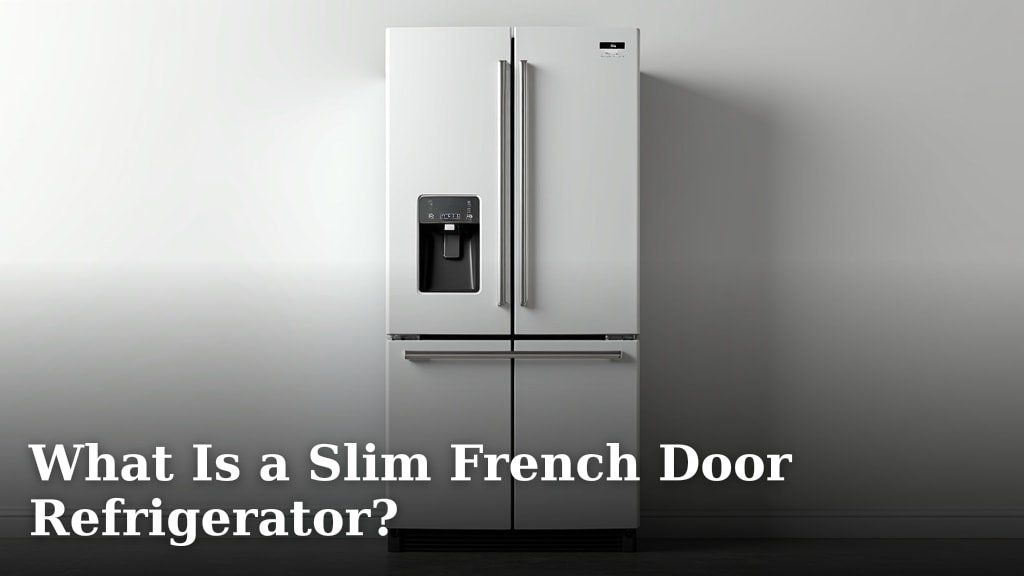
Drawer-style freezers at the bottom reduce bending. French door designs give you better access to fresh food at eye level.
Samsung Family Hub: Senior-Friendly Smart Choice
Samsung’s Family Hub series consistently ranks high for senior users. The 21.5-inch touchscreen feels like using a simple tablet, not a complex computer.
Voice commands through Bixby let you add items to shopping lists, set reminders, or check the weather without lifting a finger. The interface stays clean and uncluttered.
Health and Safety Features
Family Hub models include features that support healthy aging. Food expiration tracking helps prevent foodborne illness – a serious concern for older adults with compromised immune systems.
Temperature monitoring sends alerts if the fridge malfunctions while you’re away. This prevents food spoilage and potential health risks.
Medication Management Integration
You can set medication reminders through the display. This feature connects to your phone, so family members can help monitor your health routines remotely.
From what I read, many seniors find this more reliable than trying to remember multiple pill schedules on their own.
LG Smart Refrigerators with ThinQ Technology
LG’s ThinQ-enabled fridges offer excellent voice integration with Amazon Alexa and Google Assistant. If you already use these devices, the learning curve stays minimal.
The LG craft ice maker creates round ice that melts slower – perfect for seniors who need to stay hydrated but prefer cold drinks that don’t get watered down quickly.
Energy Efficiency Benefits
Smart sensors adjust cooling based on how often you open the doors. For seniors on fixed incomes, this translates to lower electric bills.
The refrigerator learns your usage patterns and optimizes energy consumption automatically. You save money without changing your habits.
Diagnostic Features
ThinQ technology runs self-diagnostics and alerts you to problems before they become expensive repairs. The system explains issues in simple terms, not technical jargon.
Many repair technicians can troubleshoot remotely, saving you service call fees for minor problems.
GE Profile Smart Appliances
GE Profile focuses on practical smart features rather than overwhelming tech. Their Keurig K-Cup brewing system built into select models appeals to coffee-loving seniors.
Hot water dispensers provide precise temperatures for tea, instant soups, or oatmeal. You get consistent results without using the stovetop.
Simple Connectivity Options
GE’s SmartHQ app uses large buttons and clear language. Family members can receive notifications about your fridge status, providing peace of mind without being intrusive.
The WiFi setup process walks you through each step with pictures, not confusing technical terms.
Budget-Friendly Smart Options
You don’t need the most expensive model to get senior-friendly smart features. Several manufacturers offer entry-level smart fridges under $2,000.
Whirlpool and Frigidaire make models with basic smart connectivity, temperature alerts, and simple mobile apps that cover essential needs.
Smart Features That Matter Most
Focus your budget on features you’ll actually use daily:
- Temperature monitoring and alerts
- Door-open notifications
- Simple inventory tracking
- Energy usage reports
Avoiding Feature Overload
Many budget models actually work better for seniors because they include fewer confusing options. Sometimes less technology means more usability.
Skip features like social media integration or complex meal planning if they don’t match your lifestyle.
Installation and Setup Considerations
Smart fridge installation requires WiFi network access and sometimes electrical updates. Plan for professional installation, especially if you have mobility limitations.
Many retailers offer white-glove service that includes setup, network connection, and basic training on your new appliance.
Getting Family Help
Ask tech-savvy family members to help with initial app downloads and account setup. Once configured, daily use becomes much simpler.
Create written instructions for common tasks like checking temperatures or adding shopping list items.
Ongoing Support Options
Most manufacturers offer phone support specifically for smart appliance questions. Keep customer service numbers easily accessible near your fridge.
Local appliance stores often provide ongoing support as part of their service packages.
Safety Features for Independent Living
Smart fridges can support aging in place through automated safety monitoring. Door sensors alert you if the refrigerator stays open too long, preventing food spoilage.
Power outage notifications help you know when food safety might be compromised, even if you weren’t home when the outage occurred.
Emergency Contact Integration
Some models connect to emergency response systems. If unusual patterns occur – like not opening the fridge for extended periods – alerts can go to designated contacts.
This feature provides independence while giving family members appropriate oversight for safety concerns.
| Brand | Best Senior Feature | Price Range | Voice Control |
|---|---|---|---|
| Samsung Family Hub | Large touchscreen display | $2,500-$4,000 | Bixby, Alexa |
| LG ThinQ | Simple app interface | $1,800-$3,200 | Google, Alexa |
| GE Profile | Built-in coffee system | $2,200-$3,500 | Alexa compatible |
| Whirlpool Smart | Basic connectivity | $1,400-$2,000 | Limited options |
Making the Right Choice
Your ideal smart fridge balances helpful technology with simplicity. Don’t get caught up in features that sound impressive but won’t improve your daily life.
Visit showrooms to interact with different models before buying. What feels intuitive to you matters more than online reviews from people with different needs.
Consider your current comfort level with technology. If smartphones frustrate you, choose models with more voice control and fewer touch screen requirements.
Conclusion
Smart refrigerators can genuinely improve life for seniors when chosen thoughtfully. The best models prioritize clear displays, simple interfaces, and practical features over flashy technology that creates more confusion than convenience.
Focus on brands like Samsung, LG, and GE that offer strong customer support and senior-friendly design elements. Remember that the most expensive model isn’t always the best choice – sometimes simpler technology serves you better in the long run.
Take time to evaluate which features truly matter for your lifestyle and budget accordingly. With the right smart fridge, you’ll enjoy greater independence, better food safety, and easier kitchen management for years to come.
What’s the easiest smart fridge for seniors who aren’t tech-savvy?
The Samsung Family Hub offers the most intuitive interface with its large touchscreen and simple menu layout. Voice commands through Bixby reduce the need for complex button pressing, making daily tasks feel more natural.
Can smart fridges really help with medication reminders?
Yes, many smart fridges allow you to set custom reminders that display on the screen and send alerts to connected devices. This feature works well for seniors who spend significant time in the kitchen throughout the day.
Do I need special internet service for a smart refrigerator?
Standard home WiFi works fine for most smart fridges. You don’t need faster internet speeds, but you do need reliable connectivity. If your WiFi doesn’t reach the kitchen well, consider a WiFi extender before installation.
What happens if the smart features stop working?
Smart fridges continue functioning as regular refrigerators even when smart features fail. The cooling system operates independently from the WiFi and touchscreen components, so your food stays safe regardless of technical issues.
Are smart fridges worth the extra cost for seniors on fixed incomes?
The value depends on which features you’ll actually use. If medication reminders, temperature alerts, and simple inventory tracking help you stay independent longer, the investment often pays off through reduced food waste and better health management.