How to Change the Water Filter Light on a Smart Refrigerator?
On this page (6 sections)
To change the water filter light on a smart refrigerator, you typically need to press and hold a reset button on the dispenser panel (see our guide to resetting the filter light). This action usually clears the warning light and confirms the new filter is in place. Every smart fridge model has a slightly different process, but the core idea remains the same.
You’ve likely just replaced your water filter, and now that persistent light needs to go away. It’s a common maintenance task, and resetting the indicator light is the final step to a fully functional water dispenser. We found that most manufacturers want to make this process as straightforward as possible for you.
- Locate your fridge’s reset button.
- Press and hold for a few seconds.
- Confirm the light has turned off.
- Enjoy fresh, filtered water.
Let’s walk through exactly how to do this for various popular smart refrigerator brands, ensuring your water filter light is reset correctly.
Resetting Your Smart Fridge’s Water Filter Indicator
You just put in a fresh water filter, but that little light is still staring at you. Don’t worry, resetting the indicator is usually a quick fix. We found that most smart refrigerators follow a similar pattern for this task.
The goal is to tell your fridge, “Hey, I changed the filter!” This clears the internal timer. Once the light is off, you know your system is ready for another round of fresh water.
General Steps to Reset the Light
While models differ, these steps are a good starting point. Think of it as a universal guide. You’ll often find the reset button right on the dispenser panel itself.
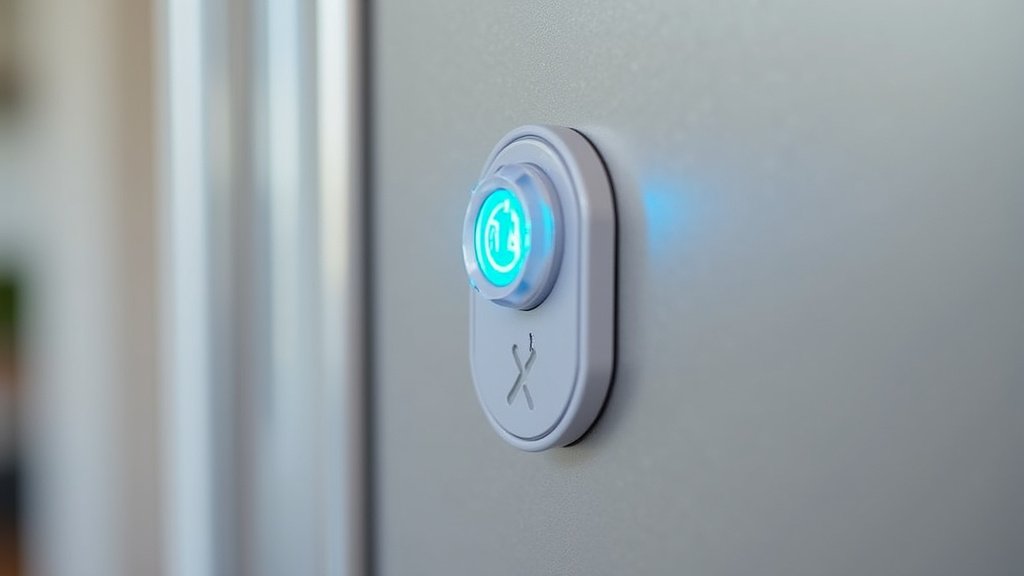
- Locate the Reset Button: This is often labeled “Filter,” “Reset,” or has a water droplet icon.
- Press and Hold: Most units require you to press and hold the button for about 3-5 seconds.
- Listen for a Beep: Many refrigerators will beep or chime to confirm the reset.
- Check the Light: The indicator light should turn off or change color (e.g., from red to green).
If that doesn’t work, don’t fret! Some fridges have slightly different methods. We’ll cover those specifics next.
Why Does the Light Turn On Anyway?
That light isn’t just there to annoy you. It’s a helpful reminder! Your smart fridge has an internal timer, typically set for six months or a certain volume of water dispensed (NSF International). After this period, the filter loses its effectiveness. So, when that light comes on, it’s a good thing – it’s telling you it’s time for a change.
Brand-Specific Reset Instructions
Let’s dive into how different popular brands handle this. It’s like knowing the secret handshake for each appliance. We’ve gathered common methods for you.
Samsung Smart Refrigerators
Samsung fridges are popular, and their reset process is usually very straightforward. You’ll typically find the button right on the dispenser.
- Find “Filter” or “Ice Type/Filter”: On most Samsung models, look for a button labeled “Filter” or “Ice Type/Filter” on the dispenser panel.
- Press and Hold: Press and hold this button for about 3-5 seconds.
- Confirmation: The light should turn from red to green, or simply turn off. You might also hear a chime.
If your Samsung has a touch screen, you might need to navigate to a “Settings” menu. Look for a “Water Filter” option there and tap “Reset.”
LG Smart Refrigerators
LG also keeps it user-friendly. Their panels are often sleek, but the reset option is usually visible.
- Locate “Filter” Button: Many LG models have a dedicated “Filter” button. Sometimes it’s combined with “Light” or “Lock.”
- Hold for 3 Seconds: Press and hold the “Filter” button for about three seconds.
- Observe the Light: The filter icon should change from red to green, or simply disappear.
For some newer LG smart fridges with a display, you might access it via the menu. Go to “Settings” or “Options,” then look for “Water Filter” to reset it.
Whirlpool and Maytag Smart Refrigerators
These brands often share similar mechanisms, which is handy. You’ll usually find the reset function tied to a specific button.
- “Filter” or “Reset” Button: Look for a button labeled “Filter,” “Reset,” or sometimes “Options.”
- Press and Hold: Hold this button for about 3-5 seconds until the indicator light goes out.
- Check Display: Some models might display “Filter Reset” or similar text briefly.
If you have a side-by-side model, the button is typically on the dispenser. For French door styles, it could be on the inside control panel or on the dispenser. Always worth a quick peek in both spots!
GE Smart Refrigerators
GE refrigerators usually have their own clear method. It often involves holding down a button that serves a dual purpose.
- “Reset Filter” or “Filter” Button: Find the button labeled “Reset Filter” or just “Filter.” It might also be combined with “Light” or “Dispenser Lock.”
- Hold Firmly: Press and hold this button for approximately 3 seconds.
- Light Confirmation: The filter replacement indicator light should turn off.
Some GE models with a digital display might have you go into a “Menu” or “Settings” option to find the “Water Filter” reset. We found this to be a common theme across brands with advanced displays.
KitchenAid and Kenmore Smart Refrigerators
These brands also have straightforward reset processes. They often follow patterns similar to Whirlpool.
- Look for “Filter Reset”: On the dispenser or inside the fridge, find the “Filter Reset” button. If it’s not explicitly labeled, it might be an unmarked button near the filter light.
- Press and Hold: Hold it down for 3 seconds.
- Light Off: The indicator light should go out.
For Kenmore, sometimes the reset button is inside the fridge, on the control panel above the top shelf. It’s worth checking there if you don’t see it on the dispenser.
Troubleshooting: What if the Light Stays On?
You’ve tried the steps, but that pesky light just won’t quit. Don’t throw your hands up yet! A few things might be happening.
Common Reasons for Persistent Light
It can feel like your fridge is being stubborn. Let’s look at why it might be happening.
- Not Held Long Enough: Sometimes, you need to hold the button for a full 5 seconds, not just 3. Try holding it a little longer.
- Wrong Button: Are you sure you’re pressing the right button? Double-check your fridge’s user manual.
- Power Cycle Needed: A quick power cycle can sometimes clear electronic glitches. Unplug your fridge for about 1-2 minutes, then plug it back in. This is like rebooting a computer.
- Stuck Button: Is the button physically stuck? Make sure it fully depresses and releases.
If you’ve tried these and the light is still on, it might be time to consult your owner’s manual. That little booklet is a treasure trove of specific information for your exact model.
When to Consult Your Manual
Your user manual is your best friend in these situations. We can’t stress this enough! It has diagrams and very specific instructions for your model.
If you can’t find your physical manual, most manufacturers offer PDF versions online. Just search for your fridge’s model number (usually found inside the door) and “manual” on Google. We found this to be the most reliable way to get exact instructions.
A Quick Checklist for Success
To make sure you’ve covered all your bases, here’s a quick run-through of things to check.
- Did you replace the old filter with a new one correctly?
- Did you locate the exact reset button for your model?
- Did you press and hold the button for the recommended duration (3-5 seconds)?
- Did you listen for any beeps or watch for light changes?
- If it didn’t work, did you try a slightly longer press?
- As a last resort, did you try unplugging the fridge for a minute?
By following these steps, you should have that filter light reset and be enjoying clean, fresh water from your smart refrigerator in no time. It’s a small task, but an important one for your water quality!
Conclusion
Resetting your smart refrigerator’s water filter light is usually a straightforward task. You’ve learned that most models simply require you to press and hold a specific button for a few seconds. We’ve shown you the general steps and brand-specific instructions to cover most situations. Remember, that light is a helpful reminder for healthy water, not an annoyance.
If you encounter any issues, try troubleshooting steps like a longer press or a quick power cycle. Always refer to your fridge’s manual for exact, model-specific guidance. By following these tips, you’ll easily keep your smart fridge running smoothly and ensure you always have access to fresh, clean drinking water.
Frequently Asked Questions
Why does my fridge have a water filter light?
Your fridge has a water filter light to remind you when it’s time to replace the filter. This light usually comes on after a set period, often six months, or after a certain amount of water has been dispensed. It helps ensure your drinking water stays clean and free of impurities.
Can I just ignore the water filter light?
While your fridge will still dispense water, ignoring the filter light is not recommended. An old, used filter can become clogged and less effective, potentially allowing impurities back into your drinking water. We found that replacing it promptly helps maintain water quality and can even prolong the life of your dispenser. Ignoring the filter light can also lead to reduced water flow from your dispenser.
What if I can’t find the reset button on my smart fridge?
If you can’t find the reset button, check your refrigerator’s user manual. It will have diagrams and specific instructions for your model. We found that most manufacturers also offer digital manuals on their websites, which you can find by searching for your fridge’s model number.
How often should I change my smart refrigerator’s water filter?
Most manufacturers recommend changing your water filter every six months. This timeframe can vary slightly depending on your water quality and how much water you dispense. The indicator light is your best guide for timely replacement.
Does resetting the light actually clean the filter?
No, resetting the light does not clean the filter. It only resets the internal timer that tracks the filter’s lifespan. You must physically replace the old water filter with a new one before resetting the light. Resetting simply tells the fridge you’ve completed the maintenance task.


