Can You Use a Smart Refrigerator During a Power Outage?
On this page (10 sections)
- How Smart Fridges Handle Power Loss
- The Core Problem: No Electricity Means No Cooling
- Smart Fridge vs. Traditional Fridge in an Outage
- The Game-Changer: Models with a Backup Battery
- Safety First: What To Do When the Power Goes Out
- Clever Uses for a Smart Fridge When Power Returns
- Preparing for the Next Outage: A Smart Fridge Checklist
- When to Say Goodbye to Your Food
- Conclusion
- Frequently Asked Questions
How Smart Fridges Handle Power Loss
Yes, you can still use some features of a smart refrigerator during a power outage. However, its primary job—keeping food cold—stops working without electricity. The smart functions rely on power and a Wi-Fi connection, which both go down when the grid fails.
Think of it like your smartphone. When the battery dies, you can’t make calls or use apps. But you can still use it as a paperweight. A smart fridge in an outage is similarly limited. Its “brain” is off, so the touchscreen is blank and remote alerts won’t send. The only part that might work is a few manual controls if the fridge has a battery backup.
The Core Problem: No Electricity Means No Cooling
All refrigerators, smart or not, need electricity to run the compressor. This is the motor that circulates coolant and removes heat from inside. Without power, this process halts completely. The inside of your fridge will slowly warm up, just like any other cooler.
The CDC states that perishable foods should not be left in a refrigerator above 40°F for more than two hours. In a closed, modern fridge, the temperature typically rises about 1°F to 2°F per hour. So, your window is small but manageable if you plan ahead.
What Happens Inside Your Smart Fridge
Once the power cuts out, several key functions stop immediately.
- Cooling and Freezing: The compressor and fans shut off. No more cold air is made.
- Smart Display and Wi-Fi: The screen goes dark. You lose access to calendars, recipes, and streaming services.
- Internal Cameras: You can’t check what’s inside remotely from your phone.
- Ice Maker and Water Dispenser: These electrically controlled features stop working.
- Temperature Alerts: The fridge can’t notify you if the temperature rises because it has no power or internet.
Smart Fridge vs. Traditional Fridge in an Outage
Your main advantage with a smart fridge is information. Many models keep an internal temperature history. When power returns, you can check the log to see how high the temperature went and for how long. This helps you decide if your food is safe.
A traditional fridge gives you no such data. You’re left guessing whether it stayed cold enough. However, some high-end smart fridges have one powerful advantage: a backup battery system.
| Feature | Traditional Refrigerator | Most Smart Refrigerators | Smart Fridge w/ Battery Backup |
|---|---|---|---|
| Primary Cooling | Stops when power fails. | Stops when power fails. | Cools for a set time (e.g., 8-12 hours) after power fails. |
| Temperature Logging | None. | Yes. Can track temp history. | Yes. Can track temp history. |
| Smart Features | N/A. | All stop. No Wi-Fi or display. | All stop. No Wi-Fi or display. |
| Ideal For | General use. | Powerful outages; peace of mind via data. | Frequent short outages; preserving food. |
The Game-Changer: Models with a Backup Battery
We found that some premium smart refrigerators come with a built-in, rechargeable battery. This is not a generator. It doesn’t power the screen, Wi-Fi, or ice maker during an outage. Its sole job is to run the compressor and keep the fridge and freezer cold.
Brands like LG and Samsung have offered models with this feature. The battery is often part of a “linear cooling” system. During a normal blackout, the battery kicks in automatically. It can typically maintain safe temperatures for 6 to 12 hours. That’s a huge window to either restore power or move food.
How Long Does the Battery Backup Really Last?
Runtime depends heavily on a few factors. Don’t expect 24 hours of perfect cooling.
- How Full Is the Fridge? A full fridge stays cold longer than an empty one because the frozen items help hold the temperature.
- How Often You Open It: Every time you open the door, cold air rushes out. Keep it closed!
- Outside Temperature: A hot kitchen will warm the fridge faster than a cool one.
- Battery Age and Health: Like any battery, its capacity decreases over time.
Even 6 hours of active cooling is a major advantage. It buys you critical time to make a plan.
Safety First: What To Do When the Power Goes Out
Your first move is always safety. Check on your family and ensure the outage isn’t part of a larger emergency. Then, follow these steps for your food.
The Golden Rule: Keep the Door Closed
This is the most important tip we found from food safety experts. A refrigerator maintains its temperature much longer if the door stays shut. Use the internal light to check contents quickly if needed, or use an external flashlight. Every peek lets heat in.
Use a Thermometer to Track Temperature
Don’t rely on guesswork. Place an appliance thermometer in your fridge and freezer. When power returns, check the reading immediately. The FDA guidelines say food in the freezer that still has ice crystals or is at 40°F or below may be safe to refreeze. Food above 40°F for over two hours should be discarded.
Prioritize and Create a Cold Chain
If the outage will be long and you have no battery backup, you might need to act. Group frozen items together in the freezer. They keep each other cold longer. You can also transfer items to a cooler with ice, but a well-stocked fridge often outperforms a cooler for several hours.
Clever Uses for a Smart Fridge When Power Returns
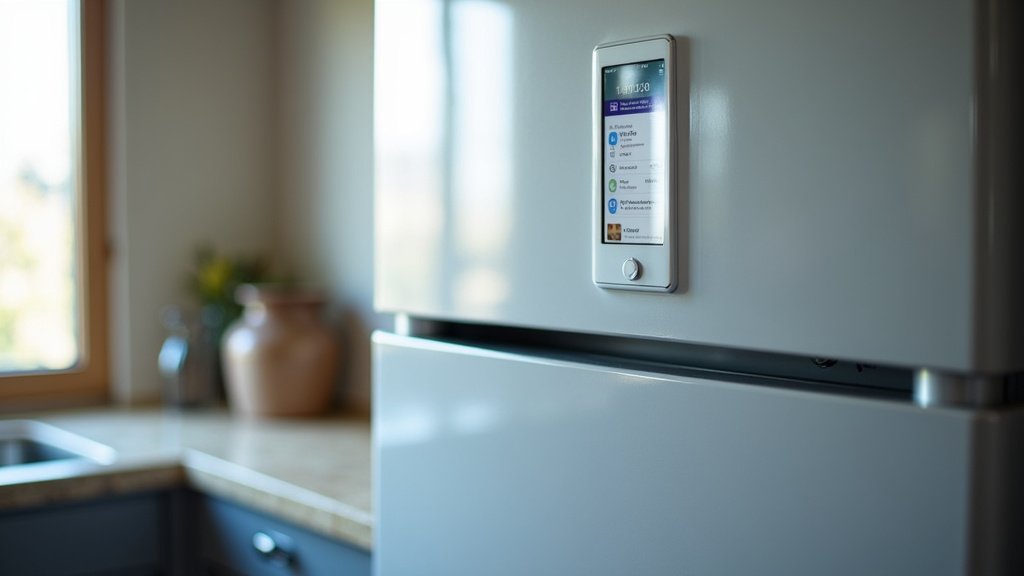
Once the electricity is back, your smart features come online again. Now they can help you assess the situation.
- Check the Temperature Log: Look at the app or display to see the peak temperature reached. This is your key data point for food safety.
- Get a Restock Alert: Use the internal cameras and app to take inventory. See what you lost and plan your next grocery run.
- Look Up Food Safety Charts: Use the fridge’s browser (or your phone) to find the official USDA or FDA charts for perishable food safety.
Think of the smart features as your post-outage assistant. They help you recover and decide what’s safe to eat.
Preparing for the Next Outage: A Smart Fridge Checklist
You can’t stop power outages, but you can be ready. Use this simple checklist to prepare your smart fridge.
- Know Your Model: Check your user manual or manufacturer’s website. Does your smart fridge have a battery backup feature?
- Keep a Thermometer Inside: Place a reliable fridge/freezer thermometer on a middle shelf for easy viewing.
- Consider a Small Power Bank: A basic power bank won’t cool your fridge, but it can keep your phone charged for updates.
- Maintain a Basic Cooler: Have a cooler and ice packs ready. For short outages, it’s a great place for highly perishable items.
- Follow the Full-Fridge Rule: Keep your refrigerator reasonably full. Jugs of water help stabilize the temperature if it’s sparse.
- Review Food Safety Guidelines: Have the USDA food safety chart saved on your phone or printed out.
Preparation turns a scary outage into a manageable inconvenience.
When to Say Goodbye to Your Food
When in doubt, throw it out. This is the unbreakable rule of food safety. The cost of replacing food is nothing compared to a serious case of food poisoning.
Discard any perishable food that has been above 40°F for more than two hours. This includes meat, poultry, eggs, milk, and leftovers. Condiments like ketchup and mustard are usually fine. Always check for off smells, unusual textures, or sliminess. Your senses are a good final checkpoint, but the time-temperature rule is more reliable.
So, can you use a smart fridge during a power outage? You can rely on its advanced features for information before and after. If you’re lucky, its battery backup might even keep your food safe for hours. But when the power is out, the smartest move is simple: keep the door shut and wait.
Conclusion
So, can you use your smart refrigerator during a power outage? You can rely on its smart features for data and alerts before and after the event. However, its core job of cooling stops without electricity, just like a standard fridge. The major advantage for some models is a built-in battery backup that keeps food cold for hours. Our research and found that this feature is a game-changer for food safety. Your best move is to know your fridge’s capabilities now. Check if you have battery backup and keep a thermometer inside. That preparation gives you peace of mind and a clear plan for the next outage.
Frequently Asked Questions
How much does a smart fridge with battery backup cost?
Models with integrated battery backup systems typically fall into the premium price range. They often cost several hundred to over a thousand dollars more than standard smart refrigerators without this feature. This is a significant investment for added convenience and food safety.
Do all smart refrigerators have a battery backup?
No, most smart refrigerators do not have a built-in battery backup. It is a premium feature found only on select high-end models from certain brands. You must check the specific model’s features in the manual or on the manufacturer’s website.
Can I use my smart fridge’s ice maker during a short power flicker?
Generally, no. The ice maker and water dispenser require constant electrical power to operate their motors and sensors. A brief power flicker will usually reset them, and they won’t function again until power is stable.
What’s the first thing I should do with my smart fridge when the power comes back on?
Immediately check the temperature log in the app or on the display. This tells you the highest temperature reached and for how long, which is the critical data for deciding if your food is safe to eat.
Will a portable generator keep my smart fridge running normally?
Yes, a properly sized portable generator can power your refrigerator and its smart features. However, you must run it outdoors and follow all safety guidelines to prevent carbon monoxide poisoning and electrical hazards.