Why Is My Bosch Refrigerator Display Black?
On this page (9 sections)
- Troubleshooting Your Bosch Refrigerator Display’s Blank Screen
- Checking the Power Supply: The First Line of Defense
- The Simple Power Cycle: A Digital Reset
- Understanding Control Board Issues
- The Display Panel Itself: A Potential Problem Area
- When to Call a Professional Bosch Technician
- Understanding Bosch Refrigerator Error Codes (When Possible)
- Conclusion
- Frequently Asked Questions
A black Bosch refrigerator display usually means there’s a power issue or a control board problem. Don’t panic; it’s often a simple fix like a tripped breaker or a temporary glitch. We’ll help you figure out what’s going on with your fridge’s screen.
When your Bosch refrigerator display goes black, it can leave you wondering if your food is safe. This situation could stem from a minor electrical hiccup or a more involved component failure. Understanding the common causes helps you address the problem quickly and effectively, preventing food spoilage and unnecessary repair costs.
- Power supply issues are common culprits.
- A tripped circuit breaker or faulty outlet can cause the display to go black.
- Sometimes, a simple reset can fix a frozen display.
- The main control board may need attention if other steps fail.
Let’s dive into the most likely reasons why your Bosch refrigerator display has gone dark and what you can do about it.
Troubleshooting Your Bosch Refrigerator Display’s Blank Screen
Seeing a black screen on your Bosch refrigerator can be quite startling. It’s like the fridge’s personality has vanished! Let’s figure out what might be causing this sudden silence and get your display back to its cheerful, informative self.
Often, a blank display isn’t a sign of a major breakdown. It could be a simple electrical hiccup or a temporary software freeze. We’ve found that most issues can be addressed with a few straightforward troubleshooting steps.
Checking the Power Supply: The First Line of Defense
Before we look at the fridge itself, let’s make sure it’s getting the power it needs. A refrigerator needs a consistent flow of electricity to operate, and that includes its fancy display.
Is the Refrigerator Plugged In?
This might sound obvious, but sometimes the simplest things get overlooked. Life happens, and a cord can get accidentally nudged out of its socket. Just double-check that the power cord is firmly plugged into the wall outlet.
Testing the Electrical Outlet
If the fridge is plugged in, the next step is to see if the outlet itself is working. You can test this by plugging in another small appliance, like a lamp or a phone charger. If that other device doesn’t power on, you’ve found a potential culprit.
If the outlet isn’t providing power, you’ll need to investigate further. This might involve checking your home’s electrical panel.
Investigating Your Home’s Circuit Breaker
Most homes have a circuit breaker panel to protect against electrical overloads. A tripped breaker will cut power to the affected circuit, which could be the one powering your refrigerator. You’ll typically find this panel in your basement, garage, or a utility closet.
Look for a breaker switch that is in the “off” position or somewhere in the middle between “on” and “off.” If you find one, flip it all the way to the “off” position first, and then firmly back to the “on” position. This can often reset the power to your fridge.
Important safety note: If a breaker trips repeatedly, it could indicate a more serious electrical issue in your home. In such cases, it’s best to consult a qualified electrician. Many sources, including electrical safety guidelines, recommend not ignoring recurring breaker trips.
The Simple Power Cycle: A Digital Reset
Sometimes, like our computers, refrigerators can experience temporary glitches. A power cycle is essentially a reboot for your fridge. It involves unplugging the unit for a short period. If the display is black, you can try a power cycle to reboot the fridge.
How to Perform a Power Cycle on Your Bosch Refrigerator
Here’s how to give your Bosch fridge a quick refresh:
- Unplug the refrigerator. Make sure the plug is completely out of the wall socket.
- Wait for at least 5-10 minutes. This gives the internal components time to discharge any residual power.
- Plug the refrigerator back in. Firmly insert the power cord into the outlet.
- Listen and observe. You should hear the compressor kick on, and after a few moments, the display should light up.
We found that this simple step resolves a surprising number of display issues. It’s like giving the fridge a moment to clear its head, which can be very effective.
Understanding Control Board Issues
If the power supply and a simple reset haven’t revived your Bosch refrigerator’s display, the issue might lie with the control board. This is the “brain” of your refrigerator, managing all its functions, including the display.
What is the Control Board?
The main control board (sometimes called the electronic control unit or EOC) is a complex circuit board. It receives input from sensors and user interfaces (like your display panel) and sends commands to various components. When this board malfunctions, it can affect the entire operation of the refrigerator, including the display.
Signs of a Failing Control Board
A black display is a primary symptom. However, you might also notice other odd behaviors from your refrigerator if the control board is the problem. These can include:
- The refrigerator not cooling properly.
- Strange noises coming from the unit.
- Lights inside the fridge flickering or not working.
- The ice maker or water dispenser malfunctioning.
If you’re experiencing several of these symptoms along with a black display, a faulty control board becomes a more likely cause. Repairing or replacing a control board is typically a job for a professional technician.
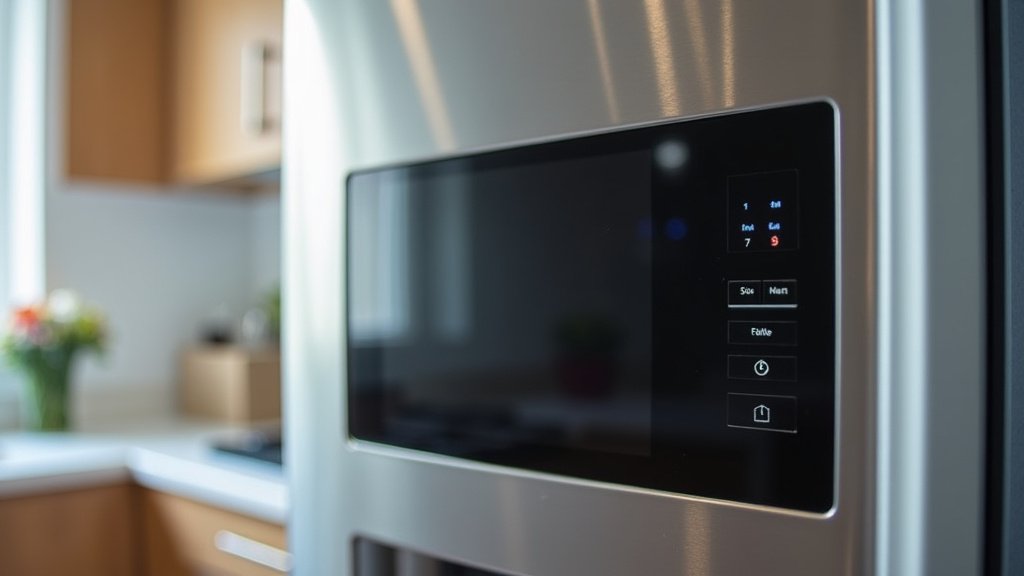
The Display Panel Itself: A Potential Problem Area
While less common than power or main control board issues, the display panel itself could be the source of the problem. It’s the part you interact with, and like any electronic component, it can fail.
Common Display Panel Failures
Damage can occur from several factors. For instance, prolonged exposure to moisture or extreme temperatures can take their toll. Sometimes, a power surge can also damage delicate components on the display.
If you notice any physical damage to the display area, such as cracks or signs of water ingress, this would point towards the panel being the issue. In such situations, the display panel would need to be replaced.
When to Call a Professional Bosch Technician
You’ve tried the basic troubleshooting steps, and your Bosch refrigerator display remains stubbornly black. It’s likely time to bring in an expert.
Here’s a quick checklist to help you decide if it’s time to call for service:
- The power cord is securely plugged in.
- The outlet is confirmed working with another appliance.
- Your home’s circuit breaker is not tripped.
- You’ve performed a power cycle (unplugged for 5-10 minutes).
- The refrigerator is not cooling at all, or is exhibiting other unusual behaviors.
- You suspect a faulty control board or display panel.
Bosch refrigerators are sophisticated appliances. Attempting complex repairs on internal components like the control board without the proper knowledge and tools can lead to further damage or safety hazards. Professional technicians have the diagnostic equipment and expertise to accurately pinpoint the problem and perform the necessary repairs safely. Many appliance repair associations, like the Association of Home Appliance Manufacturers (AHAM), recommend professional service for internal electrical issues.
Understanding Bosch Refrigerator Error Codes (When Possible)
Even with a black display, some Bosch refrigerators might still communicate an issue through error codes, though this is less likely if the entire display is dark. However, if the display flickers or briefly shows something, pay close attention.
If you can glimpse an error code (typically a letter followed by numbers, like ‘E01’ or ‘F2’), you can often look up its meaning in your Bosch refrigerator’s user manual. This code can provide a direct clue to the specific problem, whether it’s related to a sensor, a fan, or the control system.
If your manual isn’t handy, a quick online search for your specific Bosch refrigerator model number followed by “error codes” can also yield results. This information can be very helpful when you speak with a service technician, as it can speed up the diagnostic process.
Conclusion
When your Bosch refrigerator display goes black, remember that most issues stem from simple power problems or temporary glitches. You’ve learned how to check your outlet and breaker, and even perform a power cycle, which often resolves the issue. If these steps don’t bring your display back to life, it might indicate a more complex problem with the control board or the display panel itself. For these situations, it’s best to trust a professional Bosch technician. Don’t hesitate to reach out to an expert if you’ve exhausted the basic troubleshooting steps.
Frequently Asked Questions
What should I do if my Bosch refrigerator display is completely blank and the fridge isn’t cold?
If your Bosch refrigerator display is black and it’s not cooling, this points to a more significant power or internal component issue. First, confirm the power cord is securely plugged in and the outlet is working. If those are fine, perform a power cycle by unplugging the fridge for 10 minutes. If it still doesn’t cool or the display remains black, it’s time to call a qualified appliance technician.
Can a power surge cause my Bosch refrigerator display to go black?
Yes, a power surge can absolutely affect your Bosch refrigerator’s display and other electronics. Surges can damage sensitive components like the control board or the display panel itself. If you suspect a surge, check your home’s circuit breaker for any tripped switches. If the display remains black after trying a power cycle, professional diagnosis may be needed to assess for component damage.
How long should I unplug my Bosch refrigerator during a power cycle?
For a proper power cycle, you should unplug your Bosch refrigerator for at least 5 to 10 minutes. This timeframe allows the internal components to fully discharge any residual electricity and resets the electronic control system. After waiting, plug it back in firmly and observe if the display and cooling functions return to normal.
Is it safe to try and fix a black Bosch refrigerator display myself?
For simple issues like checking plugs, outlets, and circuit breakers, it is safe for you to try. However, if the problem points to the internal control board or the display panel itself, it’s generally not recommended to attempt repairs yourself. These components require specialized knowledge and tools, and incorrect handling can lead to further damage or safety hazards.
Where can I find my Bosch refrigerator model number to help a technician?
Your Bosch refrigerator’s model number is typically located on a sticker inside the refrigerator compartment, usually on one of the side walls or near the crisper drawers. You might also find it on the back of the unit or on the original sales receipt. Having this number ready can help a technician quickly identify the correct parts and service procedures for your specific appliance.



