Why Is My Frigidaire Refrigerator App Not Syncing?
On this page (9 sections)
Your Frigidaire refrigerator app might not be syncing because of a weak Wi-Fi connection, outdated app software, or a simple glitch. Often, these syncing issues are easily fixed with a few troubleshooting steps. Don’t worry, we’ve researched common causes to help you get your smart fridge connected again.
When your Frigidaire app isn’t talking to your fridge, it can be frustrating. You might miss out on important notifications or control features. We found that many users experience similar problems. Ensuring your phone and fridge are on the same network is a key step many overlook.
- Check your Wi-Fi signal strength.
- Update your Frigidaire app regularly.
- Restart your phone and refrigerator.
- Verify your fridge is connected to your home network.
Let’s walk through the most common reasons why your Frigidaire refrigerator app might not be syncing and what you can do to fix it.
Troubleshooting Your Frigidaire Fridge App Connectivity
It can be a real bummer when your Frigidaire refrigerator app stops syncing. You might be wondering why your smart appliance suddenly feels a bit less smart. Don’t panic; we’ve gathered the most common reasons and their fixes. Often, it’s a simple connection issue that’s easy to resolve.
Checking Your Home Wi-Fi Network
Your refrigerator, just like your phone or laptop, needs a stable Wi-Fi signal to communicate with the app. Think of it like a tiny messenger needing a clear path to deliver your messages.
Is Your Wi-Fi Signal Strong Enough?
The first thing to check is your Wi-Fi signal strength. If your fridge is far from your router, the signal might be weak. We found that a weak connection is a top culprit for syncing problems. Try moving your router closer if possible. Or, consider a Wi-Fi extender to boost the signal in the kitchen area. Many experts suggest ensuring your device (in this case, the fridge) has at least two or three bars of signal strength for reliable performance.
Are Your Devices on the Same Network?
This is a surprisingly common oversight. Your Frigidaire refrigerator and your smartphone or tablet need to be connected to the exact same Wi-Fi network. If your router broadcasts both 2.4GHz and 5GHz networks, make sure both your fridge and your device are on the same one. Many smart home devices, including refrigerators, work best on the 2.4GHz band due to its wider range. We found that users often forget to confirm this, leading to frustration.
Restarting Your Router
Sometimes, your router just needs a little refresh. It’s like giving your internet a quick reboot. Unplug your router, wait about 30 seconds, and then plug it back in. Let it fully restart before checking the app connection again. This simple step can clear out temporary glitches that might be preventing your fridge from syncing. Many IT professionals recommend this as a first troubleshooting step for any network issue.
App and Device Updates
Software updates are crucial for keeping everything running smoothly. They often include bug fixes and performance improvements.
Update the Frigidaire App
Always make sure you have the latest version of the Frigidaire app installed on your phone or tablet. Check your device’s app store (Google Play Store for Android or Apple App Store for iOS) for any available updates. Developers frequently release patches to fix connection issues. We found that outdated app versions are a frequent cause of syncing failures.
Check Your Refrigerator’s Firmware
Your refrigerator itself might have firmware that needs updating. This is less common for users to have to do manually, as it often happens over the network. However, if the app is consistently failing to sync, it’s worth checking your Frigidaire refrigerator’s manual or the Frigidaire support website for instructions on how to check and update its firmware. Sometimes, a firmware update requires an app update, or vice-versa.
Restarting Your Smartphone or Tablet
Just like restarting your router, rebooting your phone or tablet can clear temporary software hiccups. It’s a quick way to resolve issues that might be preventing your device from communicating properly with the app and your fridge. We found that simply restarting your mobile device often solves many connectivity problems.
Frigidaire Refrigerator Connectivity Checks
Beyond general network issues, there are specific checks related to your smart refrigerator itself.
Confirming Fridge Wi-Fi Connection
Is your refrigerator actually connected to your home Wi-Fi? Frigidaire smart refrigerators have a display panel or settings menu where you can check the Wi-Fi status. You might need to navigate through the settings to find the network information. If it shows it’s disconnected, you’ll need to re-enter your Wi-Fi password. We found that sometimes the fridge can lose its connection, especially after a power outage.
Re-establishing the Fridge-App Link
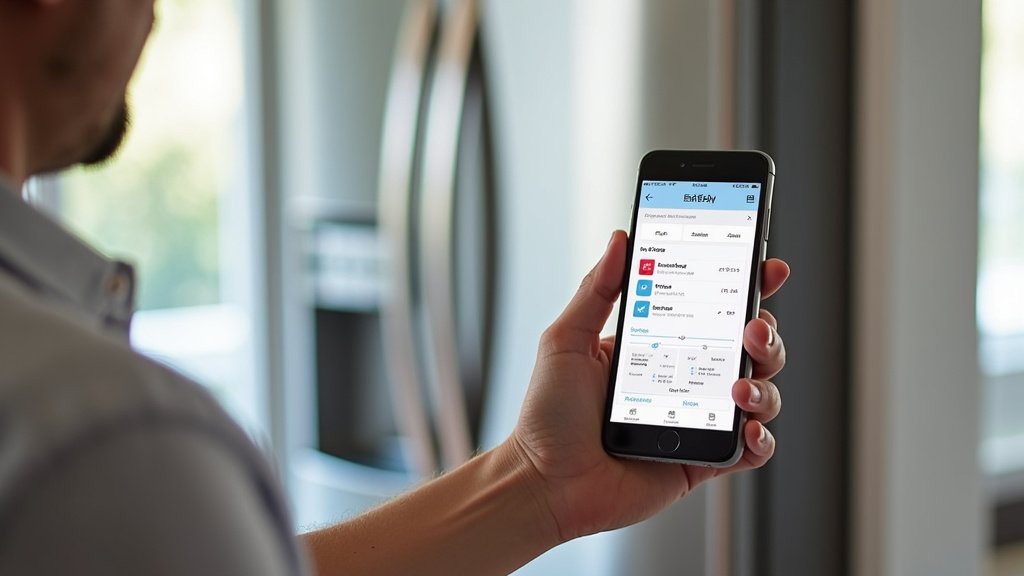
If your fridge is connected to Wi-Fi but still not syncing, you might need to re-link the app to your appliance. This usually involves going into the app settings and removing your refrigerator, then adding it back as if it were a new device. Follow the on-screen prompts carefully. This process can re-establish a fresh connection between the app and your fridge.
Common Glitches and Reset Procedures
Even the smartest appliances can have occasional software glitches. A simple reset can often fix these.
Soft Reset for the Refrigerator
Many Frigidaire refrigerators have a soft reset option accessible through the control panel. Consult your owner’s manual for specific instructions. This typically involves a sequence of button presses that restarts the appliance’s internal software without affecting your settings. We found that this is a non-disruptive way to clear minor software bugs.
Power Cycling Your Refrigerator
If a soft reset doesn’t do the trick, you can try a power cycle. This involves unplugging the refrigerator from the wall outlet, waiting a few minutes (usually 5-10 minutes is recommended), and then plugging it back in. This is a more thorough reset that can clear out more stubborn software issues. Remember to check if your fridge has any specific instructions regarding power cycling in its manual, especially if it has a complex ice maker or water dispenser system.
When to Seek Further Help
If you’ve tried all these steps and your Frigidaire app is still not syncing, it might be time to get some expert assistance.
Contacting Frigidaire Support
Frigidaire’s customer support team is equipped to handle more complex issues. They can guide you through advanced troubleshooting steps or determine if there’s a hardware problem with your refrigerator. Have your refrigerator’s model and serial number ready when you contact them. We found that reaching out to their official support channel is often the quickest way to resolve persistent problems.
Quick Sync Checklist
Here’s a handy checklist to run through when your Frigidaire app won’t sync:
- Confirm your phone and fridge are on the same Wi-Fi network.
- Check your Wi-Fi signal strength at the fridge location.
- Ensure the Frigidaire app is updated to the latest version.
- Restart your Wi-Fi router.
- Restart your smartphone or tablet.
- Power cycle your refrigerator by unplugging it briefly.
| Problem Area | Possible Solution | When to Try |
|---|---|---|
| Weak Wi-Fi | Check signal, move router, use extender | Sync issues occur intermittently or frequently |
| Network Mismatch | Verify both devices on the same network (2.4GHz often preferred) | App connects sometimes but not consistently |
| Outdated Software | Update Frigidaire app and check fridge firmware | After the app was working and suddenly stopped |
| Temporary Glitch | Restart router, phone, or fridge (power cycle) | Sudden syncing failure with no apparent cause |
| Connection Reset Needed | Remove and re-add fridge in the app | App shows fridge is online but features don’t work |
Conclusion
It’s frustrating when your Frigidaire app isn’t syncing, but you’ve learned that most issues stem from simple connectivity problems. We’ve covered checking your Wi-Fi signal, ensuring your phone and fridge are on the same network, and the importance of keeping your app and refrigerator’s firmware updated. Remember, restarting your router, phone, and even your fridge can resolve many glitches.
If you’ve tried these steps and are still having trouble, don’t hesitate to reach out to Frigidaire support. You’re now equipped to get your smart fridge connected again and enjoy all its features!
Frequently Asked Questions
How do I know if my Frigidaire refrigerator is connected to Wi-Fi?
You can usually check your refrigerator’s Wi-Fi status on its control panel or settings menu. Look for a Wi-Fi icon or a network status indicator. If it shows disconnected, you’ll likely need to reconnect it by entering your Wi-Fi password.
My app updated, but my fridge still won’t sync. What else could it be?
If the app is updated, the next step is to check your refrigerator’s connection to your home Wi-Fi. Also, try restarting your Wi-Fi router and then power cycling your refrigerator by unplugging it for a few minutes. Sometimes, re-linking the app to the fridge is necessary.
Can I use a Wi-Fi extender with my Frigidaire smart fridge?
Yes, a Wi-Fi extender can definitely help if your fridge is far from your router and experiencing a weak signal. Ensure the extender is placed correctly to boost the signal effectively in your kitchen area for reliable connectivity.
What does it mean to “power cycle” my Frigidaire refrigerator?
Power cycling is essentially unplugging your refrigerator from the wall outlet for about 5-10 minutes and then plugging it back in. This more thoroughly restarts the appliance’s internal systems and can clear out stubborn software glitches that a simple button reset might not fix.
My fridge connects to Wi-Fi, but the app is slow or not responding. What’s wrong?
This could still be a Wi-Fi signal strength issue where the fridge connects but the data transfer is slow. It might also indicate a temporary server issue with the Frigidaire app itself. Try restarting your phone and the app, and if the problem persists, check Frigidaire’s support channels.



