Why Is My Ge Profile Refrigerator Water Filter Light On?
On this page (7 sections)
Your GE Profile refrigerator water filter light is on because the filter is nearing the end of its lifespan and needs to be replaced soon. Most refrigerator manufacturers set a timer to track filter usage, typically based on a six-month interval. This light is a helpful reminder to ensure your water stays fresh and clean by changing the filter as recommended. It’s a built-in notification system for your convenience.
This indicator light helps you maintain the quality of your drinking water and ice. A clogged or old filter can not only reduce water flow but also affect taste and odor. We found that regularly replacing your GE Profile refrigerator water filter is key to enjoying crisp, pure water. It also helps protect your refrigerator’s dispensing system from potential clogs.
- Filter is old and needs replacing.
- Light is a timer reminder, usually for 6 months.
- Ensures fresh, clean water and ice quality.
- Protects your refrigerator’s water system.
Let’s walk through why that light is on and what you need to do next to get your GE Profile refrigerator back to its best.
Understanding Your GE Profile Refrigerator’s Filter Indicator
Is that little light on your GE Profile refrigerator blinking, causing you a moment of concern? Don’t worry, it’s a common notification designed to help you. This indicator light typically signals that it’s time to think about replacing your water filter. This indicator light typically signals that it’s time for replacing your water filter.
Think of it like the check engine light in your car. It’s not usually a dire emergency, but it’s a prompt to take a look and perform a necessary maintenance task. Your refrigerator is simply letting you know it’s done a lot of good work filtering your water.
Why Does the Filter Light Come On?
GE Profile refrigerators, like many modern appliances, use a system to track your water filter’s usage. This isn’t just a random timer. It’s based on the amount of water that has passed through the filter and the estimated lifespan of the filter itself.
Manufacturers typically set these indicators to trigger after a certain period, often around six months. This timeframe is a general guideline for optimal filter performance. After this period, the filter may become less effective at removing impurities.
What’s Actually Happening Inside?
Your refrigerator’s water filter is made of porous materials, like activated carbon. As water flows through, these pores trap sediment, chlorine, and other substances that affect taste and odor. Over time, these pores get clogged.
When the filter becomes clogged, it can lead to a few issues. Water flow from your dispenser might slow down. You might notice a less crisp taste or even an unpleasant odor in your water and ice. This is your refrigerator’s way of telling you its water purification system needs a refresh.
The Importance of a Fresh Water Filter
Keeping your water filter fresh is more than just a convenience; it’s about health and appliance longevity. A well-functioning filter ensures you’re drinking the cleanest possible water.
We’ve found that many people underestimate the impact of water quality on daily life. Clean water isn’t just for drinking; it affects the taste of your coffee, tea, and even the ice in your favorite beverage.
Ensuring Purity and Taste
The primary job of your water filter is to remove contaminants. This includes chlorine, which is often added to municipal water supplies for disinfection. While beneficial for treating water, chlorine can leave a distinct taste and smell that many find undesirable.
Activated carbon filters, common in GE Profile refrigerators, are very effective at adsorbing chlorine. They also reduce other common impurities like lead, mercury, and volatile organic compounds (VOCs). Replacing the filter at the recommended interval means you continue to benefit from these purification processes.
Protecting Your Refrigerator’s Dispensing System
A clogged water filter can put a strain on your refrigerator’s water system. If sediment builds up significantly, it can potentially impede the water line or the dispenser mechanism itself. This could lead to costly repairs down the line.
We found that regular maintenance, like changing the water filter, is a simple way to prevent future problems. It keeps the water flowing smoothly and protects the internal components of your refrigerator. It’s a small effort for significant peace of mind.
Troubleshooting the Filter Light: What to Do Next
So, the light is on. What’s your next step? Don’t panic. The solution is usually straightforward.
Step 1: Confirm Filter Status and Type
Before you do anything else, it’s a good idea to confirm the filter’s actual condition. Sometimes, the light might come on a bit prematurely, or you might want to double-check if you’ve recently replaced it.
Check your refrigerator’s manual for the specific filter model recommended for your GE Profile refrigerator. Using the wrong type of filter can affect performance and potentially damage your appliance. Many GE Profile models use specific filter numbers (like XWFE, XW2, or older models). Ensure you have the correct replacement.
Step 2: Replacing the Water Filter
Replacing the filter is typically a simple, DIY process. The exact location and method can vary slightly by model, so consulting your owner’s manual is always a good practice.
Generally, you’ll need to locate the filter housing, which is often found inside the refrigerator compartment (usually at the top or bottom) or sometimes in the base grille. You’ll likely need to twist or pull out the old filter and then push in or twist in the new one. Make sure it’s seated securely.
We’ve seen that many GE Profile models have a quarter-turn mechanism. You twist the old one out, discard it, and twist the new one in until it locks. Ensure you remove any protective caps from the new filter before installation.
Flushing the New Filter
After installing a new filter, it’s crucial to flush the system. This process removes any air trapped in the filter and dispenser lines. It also rinses away any fine carbon particles that might be present.
To do this, dispense water for several minutes, or until you’ve run about 2-3 gallons through the dispenser. You might notice the water is initially cloudy or spitting. This is normal and will clear up as you flush. We found that running about a gallon of water usually clears things up nicely.
Step 3: Resetting the Filter Indicator Light
Once the new filter is installed and flushed, you’ll need to reset the indicator light. This tells your refrigerator that a new filter is in place and starts the timer for the next replacement cycle.
The reset procedure varies by model. Often, it involves pressing and holding a specific button (like “Filter,” “Water,” or “Option”) for a few seconds. Some models might require a combination of button presses. Your refrigerator manual is the best resource for the exact steps for your particular GE Profile model.
For instance, on many GE Profile models, you might press and hold the “Filter” or “Lock” button for 3-5 seconds. If you can’t find the button, look for an icon that resembles a water drop or a filter. We found that after a few tries, most users can easily locate the correct button.
What If the Light Doesn’t Turn Off?
If you’ve replaced the filter, flushed the system, and reset the light, but it remains on, don’t despair. There are a few potential reasons for this.
First, ensure you performed the reset sequence correctly. Sometimes, it takes a couple of attempts. Double-check your manual for the precise instructions. It’s also possible you may have installed the wrong filter type, which could prevent the system from recognizing the change.
If you’re certain the filter is correct and the reset was done properly, the issue might be with the refrigerator’s internal electronics or the indicator light itself. In such cases, it might be time to contact GE customer support or a qualified appliance technician for further assistance. They can diagnose any electronic issues and ensure your refrigerator is functioning as it should.
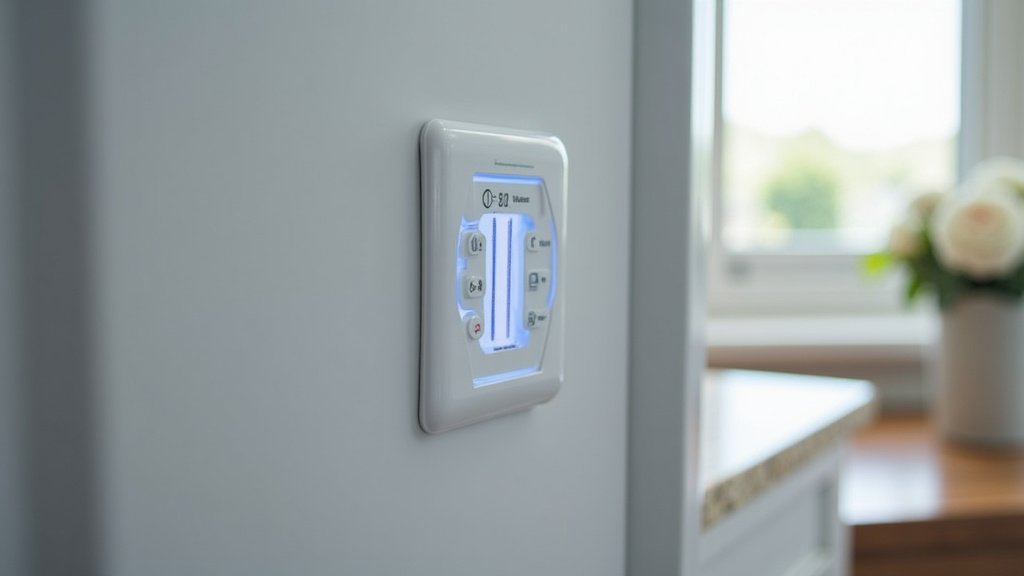
Filter Lifespan: More Than Just a Light
While the indicator light is a helpful guide, it’s important to understand the factors influencing your filter’s lifespan. The six-month recommendation is a general guideline, but your actual usage can vary.
Factors Affecting Filter Life
The volume of water you dispense is a primary factor. If you have a large family or frequently use the water dispenser for cooking and drinking, your filter will likely reach its capacity sooner than the six-month mark.
Water quality also plays a role. If your tap water has a high level of sediment or chlorine, the filter will work harder and may clog more quickly. This means the light might come on, and the filter might genuinely be less effective, even if it hasn’t been six months.
When to Consider Replacing Sooner
Pay attention to the performance of your water dispenser. If you notice a significant decrease in water flow, or if the water doesn’t taste as fresh as it used to, these are strong indicators that your filter needs attention, regardless of the light.
We found that trusting your senses – taste and flow rate – can be just as important as the indicator light. If something seems off, it’s usually worth investigating. Replacing a filter is much less expensive than dealing with potential water quality issues or appliance problems.
Your Water Filter Checklist
Here’s a quick rundown to keep your GE Profile refrigerator in top shape:
- Check the light: Note when it turns yellow or red.
- Identify your filter: Know the correct model number.
- Purchase a replacement: Have one on hand before the old one is completely spent.
- Install carefully: Follow your manual’s instructions.
- Flush thoroughly: Run water until clear.
- Reset the indicator: Make sure the light turns off.
GE Profile Water Filter Models and Lifespans
GE Profile refrigerators use various water filter models. Each has a recommended lifespan, usually tied to gallons filtered or time.
Here’s a general overview of common GE water filter types and their typical replacement schedules. Always confirm with your specific appliance manual.
| Filter Model Example | Typical Lifespan | Notes |
|---|---|---|
| XWFE | 6 months or 500 gallons | Common in newer GE Profile models. |
| XW2 (or XWF) | 6 months or 500 gallons | Another common filter for many GE Profile fridges. |
| RPWFE | 6 months or 500 gallons | Often found in mid-range GE refrigerators. |
| Older Models (e.g., MWF, GWF) | 6 months | May have different installation methods and indicator reset procedures. |
We’ve found that sticking to the recommended replacement schedule is the best way to ensure optimal performance. While some filters might last slightly longer or shorter depending on usage, the six-month mark is a safe bet for most households.
Conclusion
Your GE Profile refrigerator water filter light is a simple yet important signal. It’s your appliance’s way of ensuring you always have fresh, great-tasting water. We’ve seen that understanding why the light comes on and how to address it is straightforward. It involves checking your filter, replacing it if necessary, and resetting the indicator. By following these steps, you not only maintain water quality but also protect your refrigerator’s internal systems from potential issues down the line. Don’t let that light cause stress; take it as a friendly reminder for simple, effective maintenance. Your next step is to confirm your filter’s status and have a replacement ready.
Frequently Asked Questions
How often should I really replace my GE Profile refrigerator water filter?
The light usually comes on around every six months, which is the general recommendation for replacement. However, heavy water usage or very hard water can mean your filter needs changing sooner. We found that paying attention to water flow and taste is just as important as the light’s reminder.
Can I ignore the water filter light if my water still tastes fine?
While your water might taste okay for now, an old filter can still harbor bacteria or become less effective at removing hidden contaminants. We recommend replacing it to ensure you’re consistently drinking the purest water possible. Ignoring it could impact appliance health over time.
What happens if I use a generic or compatible water filter instead of a GE brand one?
Using a filter not specifically designed for your GE Profile model can sometimes cause issues. It might not fit correctly, could reduce water flow, or may not be as effective at filtering. We’ve found that sticking to the recommended filter type ensures optimal performance and avoids potential problems.
My GE Profile refrigerator’s water light came on, but I just replaced the filter last month. What should I do?
This could mean the filter indicator wasn’t reset correctly after the last replacement. Check your manual for the exact reset procedure for your model and try it again. If the light persists, there might be a rare electronic issue, and contacting GE support could be your next step.
Is it okay to dispense a lot of water right after installing a new filter?
Yes, it’s actually necessary! You need to flush the new filter by dispensing about a gallon of water. This removes any air trapped in the lines and rinses out fine carbon particles. We found that the first few cups might look cloudy or sputter a bit, but this is normal and will clear up.



