Why Is My Samsung Family Hub Refrigerator Ice Maker Not Making Ice?
On this page (6 sections)
Your Samsung Family Hub refrigerator ice maker might not be making ice due to a frozen water line, an improperly set ice maker, or a clogged water filter. These are common issues that many users encounter, and thankfully, they are often fixable with a few simple troubleshooting steps. Don’t worry, we’ve got you covered.
Understanding why your ice maker isn’t working is the first step toward a cold drink solution. We found that checking the temperature settings and ensuring the water supply valve is open are also key areas. Sometimes, a simple reset can be all it takes to get your ice flowing again.
- Frozen water lines are a frequent culprit.
- Check your ice maker’s settings and temperature.
- A clogged or expired water filter can stop ice production.
- Ensure the water supply to your fridge is turned on.
Let’s walk through the most common reasons your Samsung Family Hub ice maker might be slacking and how you can fix it.
Troubleshooting Your Samsung Family Hub Ice Maker Issues
It can be frustrating when your Samsung Family Hub refrigerator’s ice maker stops producing ice. You expect perfectly chilled drinks, and suddenly, you’re left with warm water. We understand how inconvenient this can be. Fortunately, most ice maker problems are fixable with a bit of detective work.
This guide will walk you through the most common reasons your ice maker might be taking a break and how you can get it back on track. We’ve researched various issues to help you solve this common household problem.
Checking the Basics: Simple Fixes First
Before diving into more complex solutions, let’s cover the easiest things you can check. Sometimes, the simplest fix is the right one, saving you time and hassle.
Is the Ice Maker Actually Turned On?
It sounds obvious, but sometimes the ice maker can be accidentally turned off. Many Samsung Family Hub models have a physical switch or a setting on the display panel to control the ice maker. For digital controls, you’ll usually find this in the refrigerator’s settings menu under “Ice Maker” or a similar option. Make sure it’s set to “On.”
Some models have an indicator light or a symbol on the door panel that shows the ice maker’s status. Consult your user manual to find out how your specific model indicates if the ice maker is on or off. We found that forgetting to turn it back on after a power outage or a deep clean is a surprisingly common oversight.
Verify the Ice Bin and Lever Position
The ice maker has a sensor arm or lever that tells it when the ice bin is full and when to stop producing ice. If this sensor arm is stuck in the “up” position, the ice maker will think the bin is full, even if it’s empty. Gently move the arm up and down to ensure it moves freely.
Make sure the ice bin itself is correctly seated. If it’s not in place, the sensor might not register its presence correctly. Also, check for any obstructions in the ice bin or the ice chute that could be preventing ice from falling or the bin from seating properly.
Temperature Settings Matter
Ice makers need a consistently cold environment to function. If your refrigerator’s freezer compartment isn’t cold enough, it won’t produce ice efficiently, or at all. The ideal temperature for the freezer is typically 0°F (-18°C). Check your Family Hub’s temperature display or settings menu to confirm it’s set correctly.
If the freezer temperature seems too high, don’t adjust it drastically all at once. Make small changes and give the refrigerator 24 hours to stabilize before checking the temperature again. You might also want to ensure that the freezer vent isn’t blocked by food items. Proper airflow is key to maintaining the correct temperature.
Investigating Water Supply Issues
Without a steady supply of water, your ice maker is essentially a decorative feature. Let’s look at where the water might be getting held up.
Is the Water Supply Valve Open?
This is a critical step. Your refrigerator is connected to your home’s water line via a valve, usually located behind the refrigerator or under the sink. Ensure this valve is fully open. If you recently moved the refrigerator or had any plumbing work done, it’s possible this valve was accidentally closed.
How to check: Gently pull your refrigerator away from the wall to access the back. Locate the thin water line leading to the fridge. Find the shut-off valve on this line. If it’s turned perpendicular to the pipe, it’s closed. Turn the handle so it’s parallel with the pipe to open it. We found that a simple quarter-turn can make all the difference!
The Water Filter: A Common Culprit
The water filter is essential for clean ice, but an old or clogged filter can restrict water flow. If you haven’t replaced your filter recently, this could be the problem. Most manufacturers recommend replacing the water filter every six months, or sooner if you notice a decrease in water pressure from the dispenser.
Your Samsung Family Hub will likely have an indicator on the display panel to let you know when it’s time to change the filter. If you’re unsure when it was last replaced, it’s a good idea to change it. You can find replacement filters at most appliance stores or online.
When to replace your filter:
- Indicator light is on.
- Water flow from the dispenser is slow.
- Ice production has decreased significantly.
- You can’t recall the last time it was changed (usually more than 6 months ago).
The Frozen Water Line Nightmare
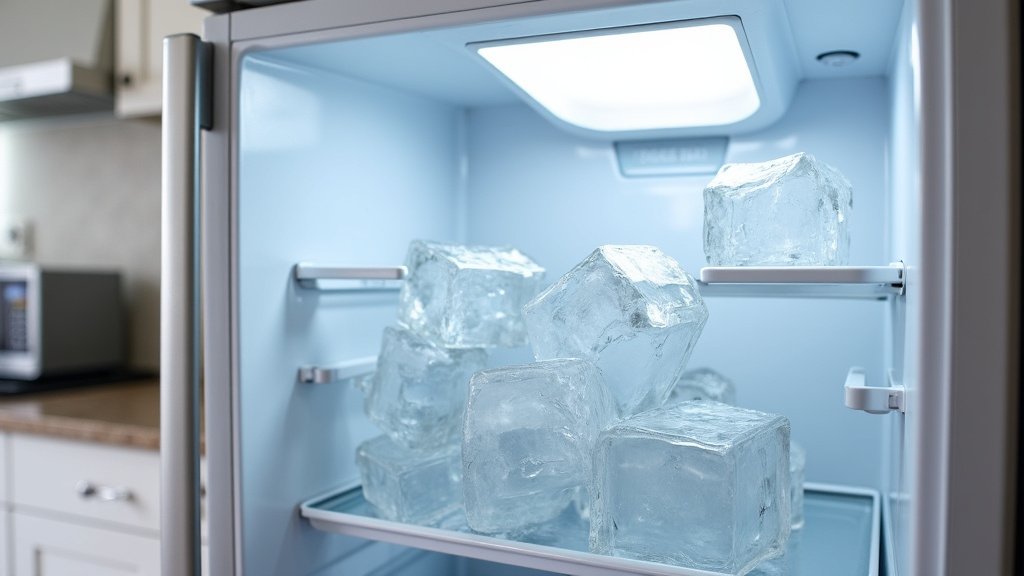
This is perhaps the most common reason for a sudden stop in ice production. The water line that feeds the ice maker can freeze if the freezer temperature dips too low, or if there’s a malfunction in the ice maker’s heating element that’s supposed to prevent freezing. If you hear the ice maker trying to cycle but nothing happens, or if you see ice buildup around the water inlet tube, a frozen line is likely.
How to thaw a frozen water line:
- Turn off the ice maker: This prevents the mechanism from trying to work against ice.
- Unplug the refrigerator: For safety, disconnect the power.
- Empty the freezer: Remove all food to allow for better access and air circulation.
- Use a hairdryer on a low setting: Gently warm the area where the water line enters the freezer compartment. Move the hairdryer back and forth to avoid overheating any single spot. This can take 30 minutes to an hour.
- Alternatively, leave the freezer door open: With the power off and the door open, the natural warming of the room can thaw the line. This is a slower process.
Once thawed, plug the refrigerator back in, turn the ice maker back on, and wait a few hours to see if ice production resumes. Many experts recommend keeping your freezer temperature at the recommended 0°F (-18°C) to prevent this issue.
When to Consider Ice Maker Component Issues
If you’ve tried all the above steps and your ice maker still isn’t working, the issue might be with internal components. These can be more complex to diagnose and repair.
The Ice Maker Module Itself
The ice maker module is the heart of the operation. It’s responsible for harvesting and ejecting ice. If this component has failed, it won’t be able to make ice, even if water is supplied. You might notice the module looks damaged, or simply that it’s not filling with water or ejecting ice.
Replacing the ice maker module is often a job for a qualified technician. However, if you’re comfortable with DIY repairs and your user manual provides clear instructions, you might be able to tackle it yourself. Always disconnect power before attempting any internal repairs.
The Water Inlet Valve
This valve controls the flow of water from your home’s supply line into the refrigerator and ice maker. If this valve is faulty or clogged with mineral deposits, it won’t allow water to pass through. You might hear a humming noise if the valve is trying to open but can’t.
Diagnosing a faulty water inlet valve usually involves checking for water flow after the valve. If there’s no water coming through, the valve itself could be the issue. Again, this repair often requires a professional.
Let’s summarize the troubleshooting process. This checklist should help you systematically go through the potential problems:
- Check: Ice maker setting is ON.
- Verify: Ice bin is properly seated and sensor arm moves freely.
- Confirm: Freezer temperature is set to 0°F (-18°C).
- Inspect: Water supply valve behind the fridge is OPEN.
- Replace: Water filter if it’s old or clogged.
- Thaw: Frozen water line if suspected.
If these steps don’t resolve your ice maker’s issues, it might be time to call in a professional appliance repair technician. They have the tools and expertise to diagnose more complex problems with the sealed system or electrical components.
Conclusion
It’s frustrating when your Samsung Family Hub ice maker stops making ice, but as we’ve shown, many issues have simple fixes. You’ve learned to check the basic settings, ensure proper water flow, and address common culprits like a frozen line or old filter. Often, a quick adjustment or a replacement part is all it takes to get your ice flowing again. If you’ve worked through these steps and are still ice-less, don’t hesitate to reach out to a professional for more complex repairs.
Frequently Asked Questions
How long does it take for a Samsung Family Hub ice maker to start making ice after troubleshooting?
After addressing an issue like a frozen water line or replacing a filter, it typically takes a few hours for the ice maker to start producing ice again. Ensure your freezer temperature is set correctly and the ice maker is turned on. You might need to wait up to 24 hours for a full ice bin.
Can I use a hair dryer to thaw the ice maker’s water line if it’s frozen?
Yes, using a hair dryer on a low setting is a recommended method to gently thaw a frozen water line. Keep the dryer moving and don’t hold it too close to any one spot to avoid damaging the plastic components. Always unplug the refrigerator before attempting to thaw anything.
My Samsung Family Hub says the ice maker is on, but still no ice. What else could it be?
If the ice maker setting is confirmed as “on,” check the ice bin’s sensor arm to ensure it’s not stuck in the upward position. Also, verify that your freezer temperature is consistently at 0°F (-18°C). A clogged water filter or a closed water supply valve are other common reasons for this issue.
How often should I replace the water filter in my Samsung Family Hub refrigerator?
Samsung generally recommends replacing the water filter every six months, or sooner if you notice a significant decrease in water pressure from the dispenser or a decline in ice production. Your Family Hub display might also have an indicator light that alerts you when it’s time for a replacement.
What does it mean if my ice maker makes a buzzing sound but no ice is produced?
A buzzing sound often indicates that the water inlet valve is trying to open but is either blocked or faulty. This means water isn’t reaching the ice maker. You’ll need to check if the water supply line is open and consider if the water filter is clogged or if the valve itself needs replacement.



