Why Is My Smart Refrigerator Display Black?
On this page (9 sections)
- Troubleshooting a Blank Smart Refrigerator Display
- Checking the Power Supply: The First Step to a Bright Display
- Rebooting Your Smart Refrigerator: A Digital Reset
- When the Display Remains Black: Exploring Deeper Issues
- Firmware Updates and Reset Options
- When to Call a Professional: Knowing Your Limits
- Quick Checklist for a Black Smart Fridge Display
- Conclusion
- Frequently Asked Questions
Your smart refrigerator display is black because of a power issue or a software glitch. Sometimes, a simple reset can bring it back to life. Other times, it might be a sign of a deeper problem with the screen itself.
When your smart fridge display goes dark, it’s understandably frustrating. This screen is your main interface for managing groceries and using smart features. We found that a blank screen often points to common, fixable causes, but it can also signal a need for repair. Don’t worry, we’ll help you figure out what’s happening.
- A black screen usually means a power problem or a software hiccup.
- Check your power connection and try a reboot first.
- A frozen or corrupted software can cause display issues.
- Hardware problems with the screen are also possible.
- A technician might be needed for certain repairs.
Let’s walk through the most common reasons your smart refrigerator display might be black and what you can do about it.
“`htmlTroubleshooting a Blank Smart Refrigerator Display
When your smart refrigerator display suddenly goes black, it can feel like your kitchen is missing a limb. This screen is your command center for everything from checking expiration dates to adjusting the ice maker. Let’s figure out why your smart fridge display might be black and what you can do to fix it.
A blank screen often points to a few common culprits. We found that most issues are related to power or software glitches. Sometimes, it’s as simple as a loose cord. Other times, it might need a bit more attention.
Checking the Power Supply: The First Step to a Bright Display
Before you start worrying about major repairs, let’s rule out the simplest things. Power issues are the most common reason for a black screen on any electronic device, and your smart fridge is no different.
Is it Plugged In?
It sounds basic, but sometimes the simplest solutions are overlooked. First, visually confirm that your refrigerator is plugged securely into the wall outlet. Make sure the plug hasn’t come loose from the socket. This is especially true if you’ve recently moved the appliance or had any electrical work done.
Testing the Outlet
The problem might not be with the fridge at all. It could be the outlet itself. Try plugging another small appliance, like a lamp or a toaster, into the same outlet. If that appliance doesn’t turn on, you’ve likely found your issue. The outlet might be faulty, or a circuit breaker might have tripped.
Many household circuits are protected by circuit breakers or fuses. If the breaker has tripped, you’ll usually see it in the “off” position or somewhere in the middle. Gently push it to the “off” position, then back to the “on” position. If you have fuses, check if any have blown and need replacing. Always exercise caution when dealing with electrical panels.
Power Cord Integrity
Inspect the refrigerator’s power cord for any visible signs of damage. Look for cuts, nicks, or frayed wires. A damaged power cord can prevent power from reaching the display, or worse, pose a safety hazard. If you find any damage, do not use the refrigerator and contact a qualified technician immediately to replace the cord.
Rebooting Your Smart Refrigerator: A Digital Reset
Just like your computer or smartphone, your smart refrigerator has software that can sometimes get stuck. A simple reboot can often clear up minor software glitches that might be causing the display to go black. We found that this is a surprisingly effective solution for many users.
The Power Cycle Method
The most common way to reboot your smart fridge is through a “power cycle.” This involves unplugging the refrigerator from the wall outlet, waiting a specific amount of time, and then plugging it back in. This process allows all the internal components to fully reset.
- Unplug the refrigerator from the wall outlet.
- Wait for at least 5 to 10 minutes. This is important; a quick unplug and replug won’t allow the system to fully discharge.
- Plug the refrigerator back into the outlet.
- Give the refrigerator a few minutes to power back up and for the display to respond.
This method is similar to restarting your computer when it acts up. It clears temporary data and can resolve many minor software hiccups that might be preventing the screen from illuminating. Many users report success with this simple step.
Understanding Software Glitches
Smart refrigerators are essentially computers on your kitchen counter. They run operating systems, apps, and connect to Wi-Fi. Like any computer, they can encounter errors. These can range from minor bugs to more serious software corruption. A black screen can be a symptom of such an error, where the system might be running but unable to send a signal to the display. Smart refrigerators are essentially computers on your kitchen counter, running operating systems and apps.
When the Display Remains Black: Exploring Deeper Issues
If checking the power and performing a reboot didn’t bring your display back to life, it’s time to consider other possibilities. These could involve more complex internal issues with the refrigerator itself.
The Display Screen Itself
The most direct cause of a black screen, after power issues, is a problem with the display panel. Over time, electronic components can fail. The screen itself might have burned out, or there could be a connection issue between the main control board and the display.
These types of failures often require professional diagnosis and repair. Unless you have experience with electronics repair, attempting to fix the screen yourself could lead to further damage or void your warranty. Many experts advise against DIY repairs on display panels for safety and effectiveness.
Control Board Malfunctions
Your smart refrigerator has a main control board, much like the motherboard in a computer. This board manages all the functions of the fridge, including sending signals to the display. If the control board is malfunctioning, it might not be able to power the display or send the necessary information to it.
Symptoms of a failing control board can vary. Sometimes it’s a black screen, but other times it might be erratic behavior from other fridge functions. Diagnosing a control board issue is best left to a certified appliance technician.
Loose Internal Connections
Inside the refrigerator, various wires and cables connect different components. It’s possible that a connection between the display and the main control board has become loose. This can happen over time due to vibrations or minor shifts within the appliance.
Accessing these internal connections usually requires disassembling parts of the refrigerator. This is not a task for the average homeowner. If you suspect a loose internal connection, it’s best to consult your user manual for troubleshooting guidance or call a professional.
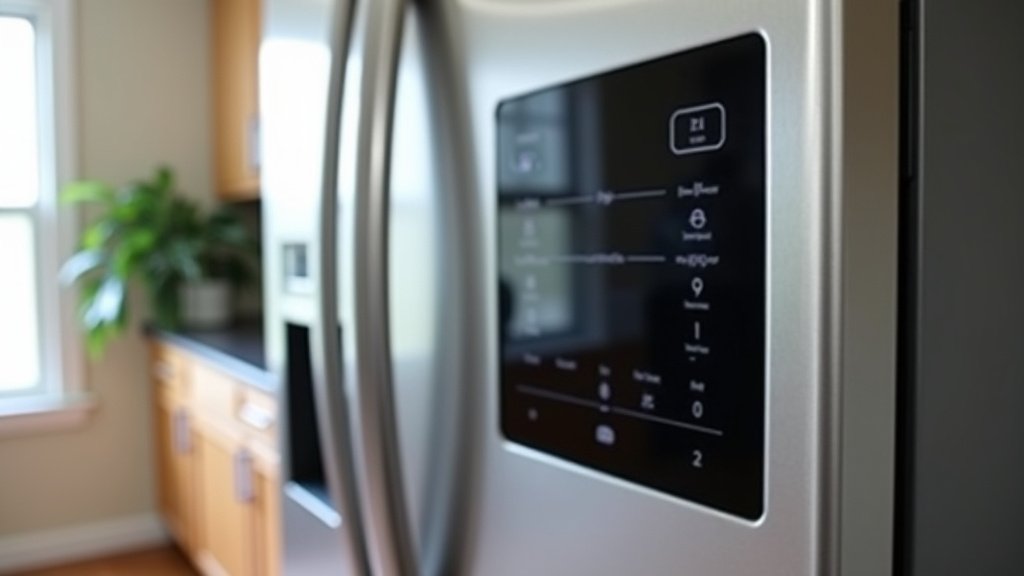
Firmware Updates and Reset Options
Some smart refrigerator models have specific procedures for firmware updates or factory resets that can sometimes resolve display issues. These are more advanced troubleshooting steps and vary greatly by manufacturer and model.
Checking for Manufacturer Resources
We found that consulting your refrigerator’s user manual is often the best first step. It will detail specific troubleshooting steps recommended by the manufacturer. Many brands also have dedicated support websites or apps that can guide you through common problems.
Look for sections on troubleshooting, display issues, or error codes. If your model has Wi-Fi connectivity, sometimes a firmware update can be initiated through the app, which might resolve underlying software bugs. However, this requires the display to be somewhat functional to initiate.
Understanding Factory Resets
A factory reset is essentially returning the refrigerator’s software to its original state, as if it were brand new. This can clear out corrupted data or stubborn glitches. However, it will also erase any custom settings, Wi-Fi connections, and personalized preferences you’ve set up. The process for a factory reset is usually outlined in your user manual.
Be cautious with factory resets. If the display is completely black, you might not be able to initiate the reset without the screen being visible. For some models, there might be a physical button or a specific sequence of button presses required, which can be difficult to perform blind.
When to Call a Professional: Knowing Your Limits
If you’ve gone through the basic troubleshooting steps and your smart refrigerator display is still black, it’s likely time to seek professional help. Certain repairs are beyond the scope of typical home maintenance.
Safety First
Working with electrical appliances, especially large ones like refrigerators, carries risks. There’s the risk of electric shock, and improper handling can lead to further damage. If you’re not comfortable or experienced with appliance repair, it’s always safest to call a qualified technician.
Warranty Considerations
Check if your refrigerator is still under warranty. If it is, attempting repairs yourself could void the warranty. Contacting the manufacturer or an authorized service center is the best course of action. They can guide you through the warranty repair process.
Common Repairs Requiring a Pro
Several issues that cause a black display typically require a professional touch:
- Replacing the display panel.
- Repairing or replacing the main control board.
- Fixing internal wiring harness issues.
- Diagnosing complex electronic failures.
These are not usually simple fixes. A qualified appliance repair technician has the tools, knowledge, and experience to diagnose and repair these problems safely and effectively. They can also advise you on whether the repair is cost-effective compared to replacing the appliance.
Quick Checklist for a Black Smart Fridge Display
Here’s a quick rundown of what you can do:
- Check the power cord to ensure it’s securely plugged in.
- Test the wall outlet with another device.
- Inspect the power cord for any signs of damage.
- Perform a power cycle by unplugging the fridge for 5-10 minutes.
- Consult your user manual for model-specific troubleshooting.
- Contact the manufacturer or a certified technician if the issue persists.
Conclusion
It’s frustrating when your smart refrigerator display goes black, but you now have a clear path to troubleshoot. We’ve walked through checking the basics like power connections and performing a simple reboot. You’ve also learned about potential software glitches and when hardware issues might be at play. Remember, your user manual is your best friend for model-specific guidance. If the simple fixes don’t work, don’t hesitate to contact a professional. They can safely diagnose and repair more complex problems, saving you time and potential headaches.
Frequently Asked Questions
Can a power outage cause my smart fridge display to go black?
Yes, a power outage or a tripped circuit breaker can definitely cause your smart refrigerator display to go black. When power is restored, the display should come back on. If it doesn’t, try unplugging the fridge for a few minutes and plugging it back in to perform a reboot.
How long should I unplug my smart fridge for a reboot?
For an effective power cycle, you should unplug your smart refrigerator for at least 5 to 10 minutes. This allows all internal components and the temporary memory to fully reset, which can resolve minor software glitches causing a black screen.
Is it safe to try and fix a black display myself?
For basic troubleshooting like checking plugs and rebooting, it’s generally safe. However, attempting to open the appliance or fix internal components like the display panel or control board is not recommended unless you have specific electronics repair experience. This can be dangerous and may void your warranty.
Will a factory reset fix a black display on my smart fridge?
A factory reset can sometimes resolve stubborn software glitches that might be causing a black screen. However, if the display is completely blank, you may not be able to initiate the reset. Also, be aware that a factory reset will erase all your custom settings.
What does it mean if other fridge functions are working but the display is black?
If your refrigerator is still cooling and the ice maker is working, but the display is black, it often points to an issue specifically with the display panel or its connection to the main control board. A power cycle is still worth trying, but it might indicate a hardware problem requiring professional attention.



