Why Is My Whirlpool Refrigerator Disconnecting from WiFi?
On this page (6 sections)
Your Whirlpool refrigerator disconnecting from WiFi is usually due to a router issue, a weak signal, or a software glitch. It’s frustrating when your smart appliance stops connecting, but often, a simple fix is just around the corner. We’ve found that most connection problems are resolved with these common troubleshooting steps.
This common issue can disrupt smart features like remote temperature control and diagnostics. Many users report experiencing this at some point. Understanding the potential culprits helps you get your fridge back online quickly and enjoy its connected capabilities without hassle.
- Router problems are a common cause.
- A weak WiFi signal can also lead to disconnections.
- Software glitches within the refrigerator itself may occur.
- Checking your home network is the first step.
- Simple resets can often resolve the issue.
Below, we’ll walk you through the most likely reasons your Whirlpool refrigerator is losing its WiFi connection and what you can do about it.
Troubleshooting Your Whirlpool Fridge’s WiFi Connection
It can be really annoying when your smart refrigerator decides to go offline. You might be wondering why your Whirlpool refrigerator keeps disconnecting from WiFi. We found that this problem often comes down to a few common culprits. The good news is that most of these are fixable with a bit of troubleshooting on your part. Let’s dive into what might be causing the disconnect and how to get your fridge back online.
Understanding Common WiFi Connection Issues
Your refrigerator connects to your home’s WiFi network just like any other smart device. When that connection drops, it’s usually a symptom of something happening with your network, the fridge itself, or the signal strength in between. We found that many users experience similar issues, and the solutions often overlap.
Router and Network Basics
Your WiFi router is the central hub for your home’s internet connection. If the router isn’t functioning correctly, nothing connected to it will work properly. We found that a simple router reboot often fixes a multitude of connection problems.
Rebooting Your WiFi Router
This is often the first and easiest step. Power cycling your router can clear out temporary glitches. First, locate your router. Then, unplug its power cord. Wait about 30 seconds to a minute. Plug the power cord back in. Give the router a few minutes to fully restart and re-establish its network. Once it’s back online, check if your Whirlpool refrigerator reconnects automatically.
Checking Your Internet Service
Is your internet service down? If your router isn’t getting an internet signal, your fridge won’t be able to connect to anything online. Look for indicator lights on your router. Many routers have lights for power, internet connection, and WiFi broadcasting. Check your internet service provider’s status page or give them a call. We found that a stable internet connection is fundamental for any smart device.
Signal Strength and Placement
WiFi signals weaken the further they travel from the router. Walls, appliances, and even distance can degrade the signal. If your Whirlpool refrigerator is far from your router or in a location with many obstructions, it might struggle to maintain a stable connection.
The Importance of Signal Strength
A weak signal can cause intermittent disconnections. Think of it like trying to have a conversation across a noisy room; sometimes you can’t quite hear what the other person is saying. Your fridge might be able to connect briefly, but then drop off when the signal fluctuates. We found that checking the signal strength on your phone near the fridge can give you a good idea of the WiFi coverage.
Optimizing Refrigerator Placement
While you can’t always move your refrigerator, consider its proximity to the router. If possible, try to keep them closer. If moving the fridge isn’t an option, you might need to consider a WiFi extender or a mesh network. These devices can help boost the signal in weaker areas of your home. Many experts suggest that a strong, stable signal is key for reliable smart appliance connectivity.
Refrigerator-Specific Settings and Software
Sometimes, the issue lies within the refrigerator’s own smart hub or software. Like any electronic device, it can encounter temporary glitches or require updates.
Checking Refrigerator Software Updates
Whirlpool periodically releases software updates for their connected appliances. These updates can fix bugs and improve performance, including WiFi stability. You can usually check for and install these updates through your refrigerator’s control panel or the companion Whirlpool app. We found that keeping the software up-to-date is a good practice for all smart devices.
Resetting the Refrigerator’s WiFi Module
If a simple reboot of your router doesn’t work, you might need to reset the WiFi settings on the refrigerator itself. Consult your Whirlpool refrigerator’s user manual for specific instructions on how to do this. Often, there’s a menu option within the refrigerator’s display. This reset will erase the current WiFi network settings, and you’ll need to reconnect it as if it were new. We found this step can clear out corrupted network configurations within the fridge.
Factory Resetting the Refrigerator (Last Resort)
As a final step, if nothing else works, you might consider a factory reset of the refrigerator. This is a more drastic measure as it will reset all settings on the appliance to their original defaults. Again, your user manual is the best resource for this procedure. After a factory reset, you’ll need to set up the WiFi connection from scratch, just like you did when you first got the fridge. We suggest only doing this if all other troubleshooting methods have failed.
Common Causes Summarized
To help you quickly identify the problem, we’ve put together a quick reference. Most connection issues fall into these categories:
- Router not functioning properly.
- Internet service interruption.
- Weak WiFi signal reaching the fridge.
- Outdated refrigerator software.
- Corrupted network settings on the fridge.
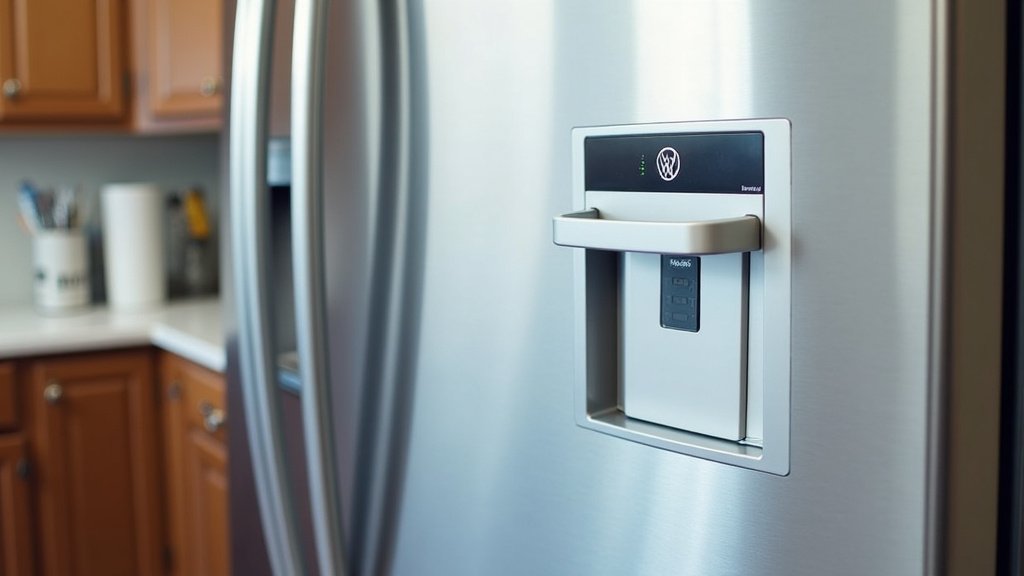
Steps to Get Your Fridge Back Online
Here’s a checklist to help you systematically troubleshoot the connection problem:
- Restart your WiFi router and modem.
- Verify your home internet connection is active.
- Check WiFi signal strength near the refrigerator.
- Look for software updates for your refrigerator.
- Try resetting the refrigerator’s WiFi settings.
- If all else fails, consider a full factory reset.
Conclusion
It’s certainly frustrating when your Whirlpool refrigerator loses its WiFi connection. You’ve learned that the most common culprits are usually related to your home network, like router issues or a weak signal. We’ve also seen that problems can stem from the refrigerator’s software or its network settings.
By systematically working through the steps we outlined—from rebooting your router to checking for software updates and resetting WiFi settings—you can often get your smart fridge back online. Remember to consult your user manual for specific instructions for your model. Start with the simplest fixes first and work your way towards more involved solutions to restore your connection.
Frequently Asked Questions
How often should I reboot my WiFi router for my fridge?
You don’t need to reboot your router daily. Try rebooting it whenever you notice your refrigerator disconnecting or experiencing other network issues. We found that a monthly router reboot can also help maintain general network stability for all your devices.
Can other appliances interfere with my fridge’s WiFi signal?
Yes, other large appliances, especially microwaves, can sometimes cause temporary interference with WiFi signals. If your fridge is located very close to another major appliance, try moving either the router or the appliance if possible. We’ve seen this resolve intermittent connection drops for users.
My Whirlpool app isn’t connecting to the fridge, even after troubleshooting. What’s next?
If the fridge is connected to WiFi but the app still won’t connect, try closing and reopening the Whirlpool app. You may also need to log out and log back into your app account. Ensure your phone is also connected to your home WiFi network, not cellular data.
Is it possible my refrigerator’s WiFi hardware has failed?
While less common than software or network issues, it’s possible for the refrigerator’s WiFi module to fail over time. If you’ve exhausted all troubleshooting steps, including a factory reset, and the connection still won’t establish, it might be time to contact Whirlpool support or a qualified appliance repair technician.
How do I know if my refrigerator is actually connected to WiFi?
Most Whirlpool refrigerators with WiFi capabilities will display a WiFi icon on the control panel when connected. You can also usually check the connection status within the refrigerator’s settings menu or through the Whirlpool mobile app. If the icon is missing or shows an error, it’s likely not connected.



